Google Business Profile is the best free business listing site overall in 2026, and it's not close. Best for Apple Maps and Siri searches: Apple Business Connect. Best for ad-free, community-first local discovery: HometownFirst — the one paid pick on this list, and worth knowing why it's here.
If you own a small business, you don't need every directory. You need the handful that actually put you in front of nearby customers without draining your afternoon or your budget.
- Google Business Profile is the best free business listing site in 2026 for most owners — start here.
- Bing Places, Apple Business Connect, and Facebook round out the free essentials for search and maps visibility.
- Yelp and Nextdoor matter most for review-driven categories: restaurants, home services, personal care.
- HometownFirst is the one paid option here — a local business directory with no ads cluttering your listing.
- Consistent name, address, and phone details across every listing matter more than the number of sites you're on.
Why this matters
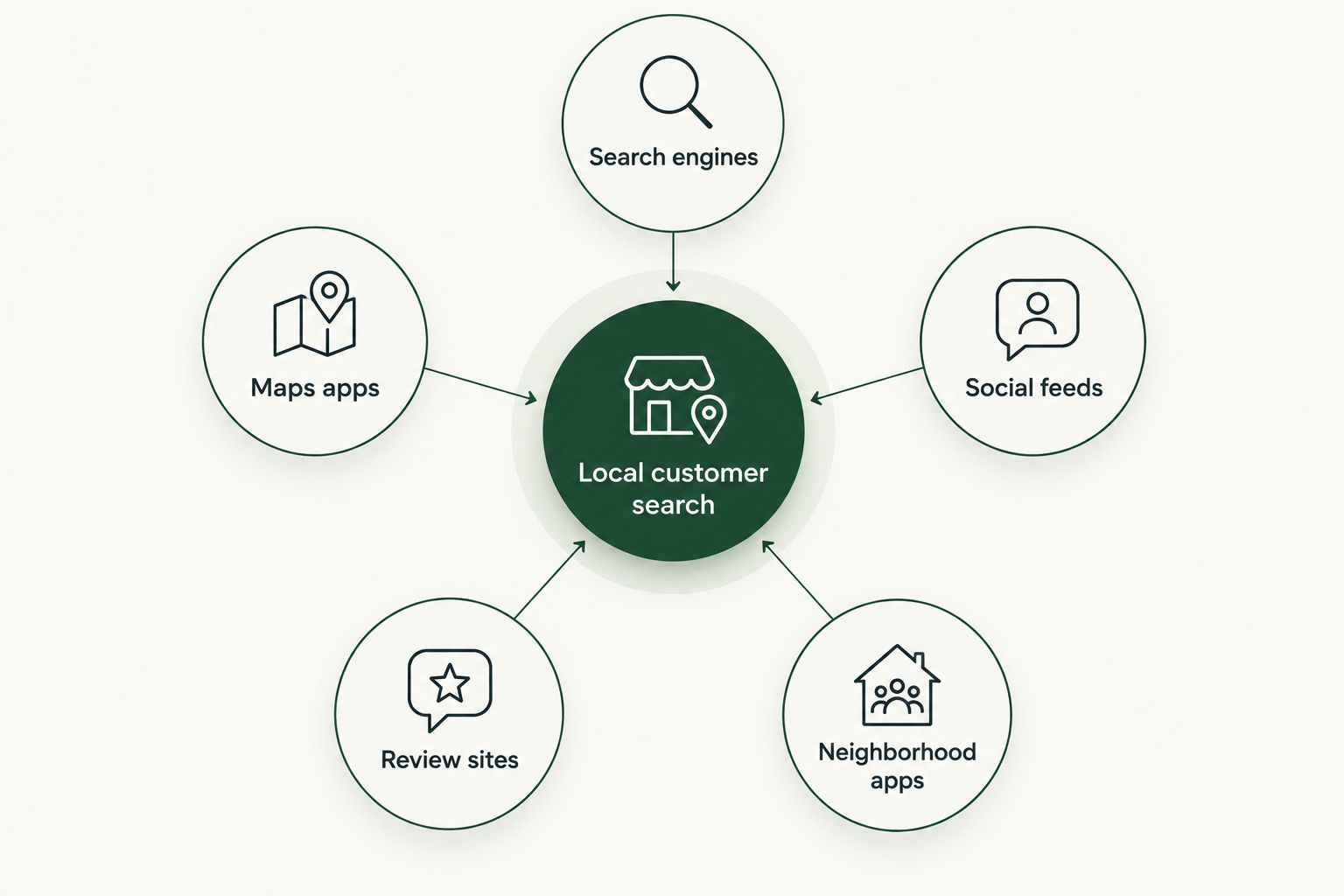
A free listing that nobody finds isn't free — it cost you the hour you spent setting it up. The sites on this list get chosen because they show up where people in 2026 actually search: Google, Bing, Apple Maps, Facebook, and neighborhood apps like Nextdoor.
Most small businesses don't need to be everywhere. They need to be on the two or three directories their specific customers check before calling or walking in.
What makes the best free business listing site
- Costs nothing to create and maintain
- Appears where people actually search — Google, Bing, Apple Maps, social feeds
- Lets customers leave reviews you can respond to
- Simple enough to set up in under an hour with no technical skill
- Room for photos, hours, and specials, not just a name and address
- Doesn't bury your listing under paid ads from a competitor down the street
At a glance
| Site | Best for | Standout feature | Key limitation |
|---|---|---|---|
| Google Business Profile | Overall visibility | Shows in Maps and search side panel | Reviews are public and hard to remove |
| Bing Places for Business | Microsoft and Copilot search | Syncs to Bing Maps and Copilot answers | Smaller search share than Google |
| Apple Business Connect | iPhone and Siri users | Controls how you appear in Apple Maps | No reach on Android or desktop search |
| Facebook Page | Social discovery | Built-in messaging and event posts | Organic reach keeps shrinking |
| Yelp for Business | Review-driven categories | Strong trust signal for restaurants, services | Free tier is limited vs. paid Yelp ads |
| Nextdoor Business Page | Neighborhood trust | Recommendations from actual neighbors | Reach limited to nearby zip codes |
| HometownFirst | Ad-free local discovery | No competitor ads next to your listing | Paid monthly, not a free listing |
1. Google Business Profile: best free business listing site overall
Google Business Profile puts your business on Google Maps and in the local search results most customers see first. You add hours, photos, a category, and posts, and customers can call, message, or get directions straight from the listing.
Google Business Profile pros:
- Free forever, with no premium tier gating basic features
- Direct link to Google Maps navigation
- Reviews show up prominently in search results
Google Business Profile cons:
- Verification can take days if Google flags your address
- No control over which reviews show first
Best for: any business that wants to show up when someone searches "[your service] near me." Verdict: Buy. Claim and verify it before anything else on this list.
2. Bing Places for Business: best for Microsoft and Copilot search visibility
Bing Places mirrors what Google Business Profile does, but for Bing Maps and Bing search. It also feeds Microsoft Copilot's local answers, which matters more in 2026 than it did a few years ago as more people ask AI assistants for nearby recommendations.
Bing Places pros:
- Free, and setup takes under 20 minutes if you already have a Google listing to copy from
- Feeds Copilot's local search answers
Bing Places cons:
- Far less search volume than Google in most U.S. markets
- Fewer customer-facing review features
Best for: businesses that want coverage across every major search engine, not just Google. Verdict: Buy. Low effort, no downside.
3. Apple Business Connect: best for Apple Maps and Siri searches
Apple Business Connect controls how your business appears in Apple Maps, Siri results, and the Apple Wallet card feature. If a meaningful share of your customers carry an iPhone, this is the free listing equivalent of Google Business Profile for Apple's ecosystem.
Apple Business Connect pros:
- Free and directly tied to Apple Maps navigation
- Lets you push seasonal hours and photo updates
Apple Business Connect cons:
- Zero visibility for Android users
- Fewer built-in review tools than Google or Yelp
Best for: retail, restaurants, and service businesses in areas with heavy iPhone use. Verdict: Buy. Ten minutes of setup for real Maps visibility.
4. Facebook Page: best for social discovery and reviews
A Facebook Page still functions as a business listing: hours, address, photos, and a review section, plus the ability to post specials and events directly to people who already follow local businesses in your area.
Facebook Page pros:
- Free, and doubles as a messaging channel for customer questions
- Good for posting time-sensitive specials and events
Facebook Page cons:
- Organic post reach has dropped year over year
- Requires ongoing posting to stay visible in feeds
Best for: businesses that already run specials or events and want a place to post them beyond a search listing. Verdict: Hold. Keep it updated if you already have one; don't build a strategy around it alone.
5. Yelp for Business: best for review-driven categories
Yelp's free basic listing still carries real weight for restaurants, salons, contractors, and other categories where people read reviews before they book. The free tier covers your basic profile, hours, and photos.
Yelp pros:
- High trust among customers who specifically check reviews before choosing
- Strong for restaurants, home services, and personal care
Yelp cons:
- Yelp's review filter sometimes hides legitimate reviews
- Full features sit behind Yelp's paid advertising products
Best for: restaurants, contractors, and personal-care businesses in review-sensitive categories. Verdict: Buy. Claim the free listing even if you never pay for Yelp ads.
6. Nextdoor Business Page: best for neighborhood-level trust
Nextdoor connects businesses directly with the specific neighborhoods around them. Recommendations here come from actual neighbors, which carries a different kind of trust than a star rating from a stranger across town.
Nextdoor pros:
- Free basic business page
- Recommendations feel personal, not algorithmic
Nextdoor cons:
- Reach is capped to a small radius by design
- Slower-moving platform than Google or Facebook
Best for: businesses that depend on walk-in or drive-by customers from a few nearby zip codes. Verdict: Hold. Worth claiming if you're hyper-local; skip if you serve a wide service area.
7. HometownFirst: best for ad-free, community-first local discovery
HometownFirst is the one entry on this list that isn't free, and it earns its spot for a different reason: it's a local business directory built specifically so nearby customers can find independent businesses without your listing sitting next to a competitor's ad. Consumers browse and search for free, and business profiles can post specials and events.
HometownFirst pros:
- No competitor ads placed next to your listing
- Consumer side stays free with no selling of shopper data
- Built around encouraging people to spend locally, not scrolling past you to a national chain
HometownFirst cons:
- Requires a monthly subscription, unlike every other entry on this list
- Smaller current search volume than Google or Facebook
Best for: independent businesses that want a directory built around local spending, not ad auctions. Verdict: Buy — once the free basics above are covered. It's a layer on top of your free listings, not a replacement for them.
List your business on HometownFirst
Get found by nearby customers without competing against paid ads.
How this list was ranked
Each site was measured against the criteria above: is it actually free, does it show up where customers already search, and can a non-technical owner set it up without help. Google Business Profile, Bing Places, and Apple Business Connect rank highest because they feed the three biggest map and search ecosystems in 2026. Yelp and Nextdoor rank by category fit rather than raw reach.
“A free listing that nobody finds is worth exactly what you paid for it.”
Which free business listing site should you choose in 2026?
Start with Google Business Profile — it's free, it's the default for local search, and there's no reason to skip it. Layer in Bing Places and Apple Business Connect next; both take under 20 minutes combined. Add Yelp if you're in a review-driven category, and Nextdoor if your customers are truly neighborhood-local. Once those free basics are locked in, HometownFirst is the next move for an ad-free, community-focused listing that keeps you visible to people actively choosing to spend locally.
FAQ
What are the best free business listing sites in 2026?
Google Business Profile, Bing Places for Business, Apple Business Connect, Facebook, Yelp, and Nextdoor cover the free essentials in 2026. Each one feeds a different search engine, maps app, or social feed.
Is Google Business Profile really free?
Yes, Google Business Profile is free with no paid tier required for the core listing. You can add photos, hours, posts, and respond to reviews at no cost.
How do I get my business listed on Google Maps?
Create and verify a Google Business Profile, which automatically places your listing on Google Maps once approved. Verification usually takes a few days depending on your address type.
What's the difference between Yelp and Google Business Profile?
Google Business Profile focuses on search and maps visibility, while Yelp is built around detailed reviews in categories like restaurants and home services. Most businesses in review-heavy categories benefit from claiming both.
Do I need a Facebook Page if I already have Google Business Profile?
A Facebook Page adds value mainly if you post specials or events regularly, since it doubles as a messaging and event channel. It's not a substitute for Google Business Profile's search visibility.
Is HometownFirst free?
No, HometownFirst is a paid monthly listing for business owners, while browsing and searching stays free for consumers. It's positioned as an ad-free local business directory layered on top of the free options.
How many business directories should I list on?
Most small businesses only need three to five listings: Google Business Profile, Bing Places, Apple Business Connect, and one or two category-specific sites like Yelp or Nextdoor. More isn't better if the information across them isn't kept consistent.
Does listing on multiple directories help local SEO?
Yes, consistent listings across multiple directories reinforce your name, address, and phone number as accurate signals to search engines. Inconsistent details across sites can actually hurt local rankings more than having too few listings.
One last thing
The detail that trips up most small business owners isn't which sites to join — it's keeping the same name, address, and phone number identical across every one of them. A mismatched suite number or an old phone number on even one listing is a known signal that confuses local search rankings in 2026, so audit your existing listings before adding new ones.