
Best overall for community-first discovery: HometownFirst. Best for Google Search and Maps visibility: Google Business Profile. Best for neighborhood conversations: Nextdoor Business Pages. These Yelp alternatives for small business owners serve different purposes in 2026, so the right choice depends on where you want nearby customers to find you.
- HometownFirst is the best Yelp alternative for independent businesses focused on community-first local discovery.
- Google Business Profile is the essential choice for visibility in Google Search and Maps.
- Nextdoor Business Pages fit businesses that want to be present in neighborhood conversations.
- Use consistent business details across profiles; choose additional directories for the customers they reach.
Why this matters
A Yelp listing is one way for someone nearby to find a business. It is not the only way. A customer might search Google Maps for a repair shop, check Apple Maps for directions, or browse a local directory for a restaurant special. Each route puts your business in front of someone with a different immediate need.
For a small business owner, the useful question is not Which site can replace Yelp everywhere? It is Which places match how my customers look for businesses like mine? In 2026, that distinction helps you avoid spending time maintaining profiles that do not serve a clear purpose. If you are deciding which listings to set up first, the guide to free business listing sites gives you another way to sort the options.
What makes the best Yelp alternative for a small business?
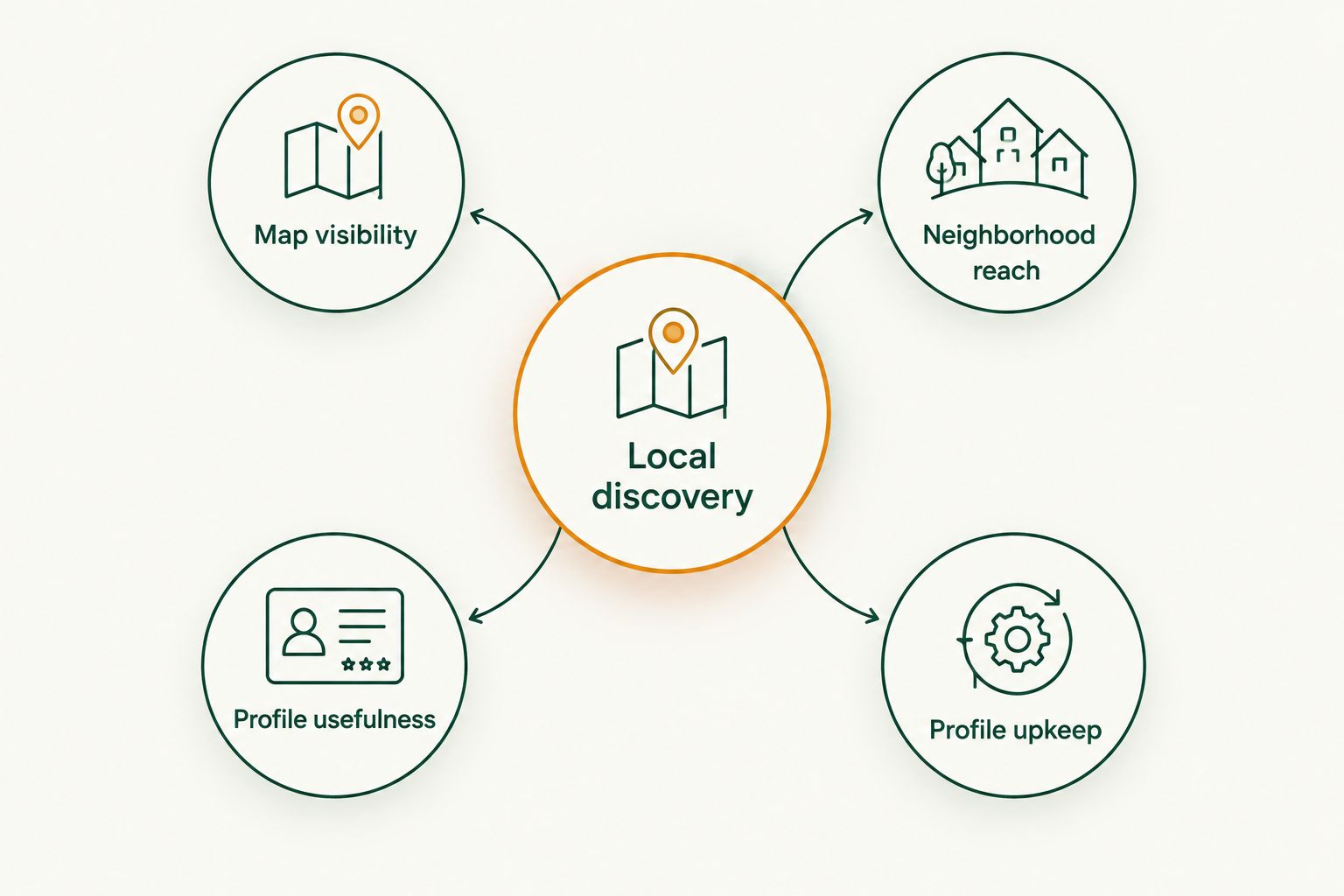
Use these criteria before adding another profile to your weekly to-do list:
- Local discovery: Can nearby people find your business by place or business type? A directory built around local browsing serves a different job from a map result.
- Map visibility: Does the listing appear where people search for directions or a nearby service? This matters most when customers need to visit or contact you soon.
- Neighborhood reach: Does the platform put you in a community setting where people discuss local needs and recommendations?
- Profile usefulness: Can you give customers enough accurate information to decide whether to contact or visit? Start with your business name, location or service area, and contact details.
- Profile upkeep: Can you keep details current alongside your other listings? An abandoned profile is less useful than a smaller set you actually maintain.
A business can reasonably choose more than one option. The aim is to give each profile a job, not to copy the same pitch across every site. In 2026, a directory profile, a search listing, and a neighborhood presence are different routes to a nearby customer.
Yelp alternatives at a glance
| Option | Best for | Standout feature | Key limitation |
|---|---|---|---|
| HometownFirst | Community-first local discovery | Directory browsing alongside business specials and events | Not a replacement for map listings |
| Google Business Profile | Google Search and Maps visibility | Business information in Google's search and map experiences | Does not replace a community-focused directory |
| Apple Business Connect | Apple Maps discovery | Control of business information shown through Apple's place experiences | Focused on Apple's ecosystem |
| Bing Places for Business | Bing search and map discovery | Business information in Microsoft's local search experiences | Does not cover Google or Apple searches |
| Nextdoor Business Pages | Neighborhood conversations | Business presence in a neighborhood-focused network | Not a general-purpose map listing |
The table is a decision guide, not a claim that every customer uses these services equally. Pick the first profile by the discovery route that matters to your business, then add another only when it fills a distinct gap. A restaurant, retailer, and home-service contractor can all benefit from accurate local information, but the most useful places to publish it differ.
1. HometownFirst: best Yelp alternative for community-first discovery
HometownFirst is a local business directory where community members can search for independent businesses and find deals. Business owners can list profiles, specials, and events. That makes it a fit when you want nearby people to discover more than a name and address: you want them to see a reason to connect with a local business.
HometownFirst is best for independent businesses that want community-first local discovery. It is particularly relevant when specials or events are part of what you need customers to notice. It does not perform the same job as a map listing, so keep your map information accurate too.
HometownFirst pros:
- Built around helping community members discover local businesses.
- Gives owners a place to present specials and events alongside a business profile.
- Covers local categories including restaurants, retail, and services.
HometownFirst cons:
- A directory listing does not replace your presence in Google Maps or Apple Maps.
- Posting specials and events requires you to keep those details current.
Best for: Independent businesses that want to be found by nearby people interested in spending locally.
Verdict: Buy if community-focused discovery fits your business and you will maintain your profile. Pair it with the map listing your customers use; do not ask one directory to do every job.
Help neighbors find your business
Explore the local directory and how business profiles work.
2. Google Business Profile: best for Google Search and Maps
Google Business Profile lets a business manage information that appears across Google Search and Google Maps. It is the clearest choice when someone is already searching for a business type, a business name, or directions in Google's tools. For a shop with a physical location, that discovery route deserves attention even if another directory is your main place to share local updates.
Treat the profile as a source of basic facts, not as a substitute for every other local channel. Check that your name, location or service area, and contact information reflect how customers can reach you. When those details change, update the listing rather than letting an old version remain in search results.
Google Business Profile pros:
- Places business information in Google Search and Maps.
- Serves customers looking for local businesses or directions.
- Gives you a clear place to maintain core business details.
Google Business Profile cons:
- Google visibility does not put you in every directory or neighborhood network.
- Incorrect details need active correction; publishing a profile is not a one-time task.
Best for: Businesses whose customers search Google to find a nearby place or service.
Verdict: Buy as a foundational listing in 2026. Add a community directory when you also want people to discover your specials, events, or local-first presence while browsing.
3. Apple Business Connect: best for Apple Maps discovery
Apple Business Connect lets businesses manage how their information appears in Apple's place experiences, including Apple Maps. Its role is specific: help someone using an Apple device identify your business and get useful location details. If visits to your location matter, that makes it a different channel from a directory where people browse local options.
A small business does not need a different identity for every platform. Keep the same business name and accurate location information wherever you appear. Review the details a customer needs before leaving home, then keep them current as your operations change.
Apple Business Connect pros:
- Addresses the Apple Maps discovery route directly.
- Lets businesses manage information in Apple's place experiences.
- Complements rather than duplicates a community directory's browsing purpose.
Apple Business Connect cons:
- Concentrates on Apple's ecosystem, not every search or map service.
- Provides a place record rather than a full community-focused directory presence.
Best for: Businesses that want accurate information available to customers using Apple Maps.
Verdict: Buy when location-based discovery matters to you. Keep it alongside, not instead of, the listing that helps customers find you through Google Search and Maps.
4. Bing Places for Business: best for Bing local search
Bing Places for Business is Microsoft's tool for managing business information in Bing's local search experiences. It gives you another place to present basic details to people searching for a nearby business. The reason to use it is coverage of a distinct search channel, not a promise that one more listing will change demand overnight.
Before adding Bing Places for Business to your routine, check the information you already publish elsewhere. A matching business name, location or service area, and contact route make the listing more useful to a person who has found you. Put upkeep on your calendar only if you can keep those facts correct.
Bing Places for Business pros:
- Covers Bing's local search route.
- Gives businesses a way to manage core information on that route.
- Adds a distinct search presence beside Google and Apple listings.
Bing Places for Business cons:
- Does not replace a Google or Apple listing.
- Adds another profile to check when business details change.
Best for: Owners who have their main local details in order and want to cover Bing searches too.
Verdict: Hold until your primary listings are accurate, then add it if you can maintain one more profile. In 2026, correct information across a few channels beats a longer list of neglected entries.
5. Nextdoor Business Pages: best for neighborhood conversations
Nextdoor Business Pages give businesses a presence in a neighborhood-focused network. That makes the option distinct from a map listing: the setting centers on local people and their community. A business whose work starts with a nearby need can use that presence to be identifiable when neighbors look for or discuss local options.
Do not treat a business page as a shortcut to recommendations. A page can identify your business, but other people's conversations are their own. Keep your business information clear and respond appropriately when there is a genuine reason to engage.
Nextdoor Business Pages pros:
- Places a business in a neighborhood-focused setting.
- Suits local discovery shaped by community conversations.
- Adds a different context from maps and search results.
Nextdoor Business Pages cons:
- Neighborhood discussion is not the same as a customer actively searching a map.
- You cannot control whether neighbors mention or recommend your business.
Best for: Businesses that want a recognizable presence where nearby residents discuss local needs.
Verdict: Buy when neighborhood visibility is a clear fit for your customers; otherwise, start with search and map listings. Do not mistake a business page for a guaranteed stream of recommendations.
How these options were ranked
The order reflects how directly each option addresses a small business owner's local-discovery job: community browsing first, then major map and search routes, then neighborhood discussion. It is not a traffic ranking. No platform listed here replaces the others in every setting, and a different customer journey can change which one you should set up first.
Use a simple test in 2026: describe where a customer is when they need you. Are they browsing local businesses, searching a map for directions, or asking neighbors for a suggestion? Start where that customer is. Then choose a second channel that serves a different moment rather than repeating the first.
Which Yelp alternative should you choose?
Choose HometownFirst if you want your independent business discovered in a local-first directory and you can keep your profile, specials, or events current. Choose Google Business Profile first if you do not yet have accurate information appearing in Google Search and Maps. Those choices work together: one supports community-minded browsing, while the other addresses a major search and map route.
Add Apple Business Connect when Apple Maps discovery matters to your location. Add Bing Places for Business when your existing details are in good shape and you can maintain another search listing. Choose Nextdoor Business Pages for neighborhood presence, not as a substitute for accurate map details. The best 2026 plan is the smallest set of profiles that covers how your customers actually look for you.
FAQ
What are the best Yelp alternatives for small business owners in 2026?
HometownFirst is best for community-first local discovery, while Google Business Profile is the foundational choice for Google Search and Maps. Apple Business Connect, Bing Places for Business, and Nextdoor Business Pages cover different discovery routes.
Is HometownFirst better than Yelp for a local business?
HometownFirst is a better fit when your priority is helping community members discover independent businesses, specials, and events. It does not replace the map listings customers use to find locations or directions.
Should I use Google Business Profile instead of a local directory?
Use Google Business Profile for your presence in Google Search and Maps; use a local directory for people browsing local businesses. The two serve different customer needs, so you do not have to choose only one.
Is Apple Business Connect the same as Google Business Profile?
No. Apple Business Connect manages business information in Apple's place experiences, while Google Business Profile manages it across Google Search and Maps. Keep your core details accurate on both if both discovery routes matter to you.
When should a small business use Bing Places for Business?
Use Bing Places for Business after your most important local listings are accurate and you can maintain another profile. It covers Bing's local search route rather than replacing Google or Apple listings.
Is Nextdoor Business Pages a replacement for Yelp?
No. Nextdoor Business Pages provide a presence in a neighborhood-focused network, while Yelp is a business discovery and review platform. Choose Nextdoor when neighborhood conversations are part of how customers find local businesses.
How many local business listings should I maintain?
Maintain the listings that cover distinct ways your customers find you and that you can keep accurate. Start with your most important search or map presence, then add a local directory or neighborhood page for a different discovery need.
One last thing
Your next listing should solve a specific discovery problem. Before opening another profile in 2026, write down the customer action it supports: finding directions, browsing independent businesses, or recognizing your name in a neighborhood conversation. If you cannot name that action, fix the information on the profiles you already have first.