
Best overall: Google Business Profile for search and map discovery. Best for community-focused discovery and specials: HometownFirst. Best for review-led discovery: Yelp. These yellow pages alternatives for local businesses serve different customer habits, so the right 2026 plan starts with the places your customers already use.
- Google Business Profile is the best overall yellow pages alternative for local businesses that need search and map visibility.
- HometownFirst is best for local businesses that want community discovery, specials, and events in one directory.
- Use Yelp for review-led discovery, Apple Business Connect for Apple Maps, and Bing Places for Bing search.
- Keep each listing accurate; another directory cannot fix a wrong address or outdated hours.
Why this matters
A Yellow Pages listing was once a straightforward way to be found by category and location. In 2026, a customer can start with a search result, a map, a review site, or a community directory. No single listing covers every route.
That does not mean your business needs a profile everywhere. Start with 1 primary search-and-map listing. Add a second channel when it gives customers a distinct reason to find you, such as reading reviews, browsing local specials, or looking for a nearby business on their preferred map. Each extra profile also gives you another place to correct when your hours or address change.
What makes the best Yellow Pages alternative?
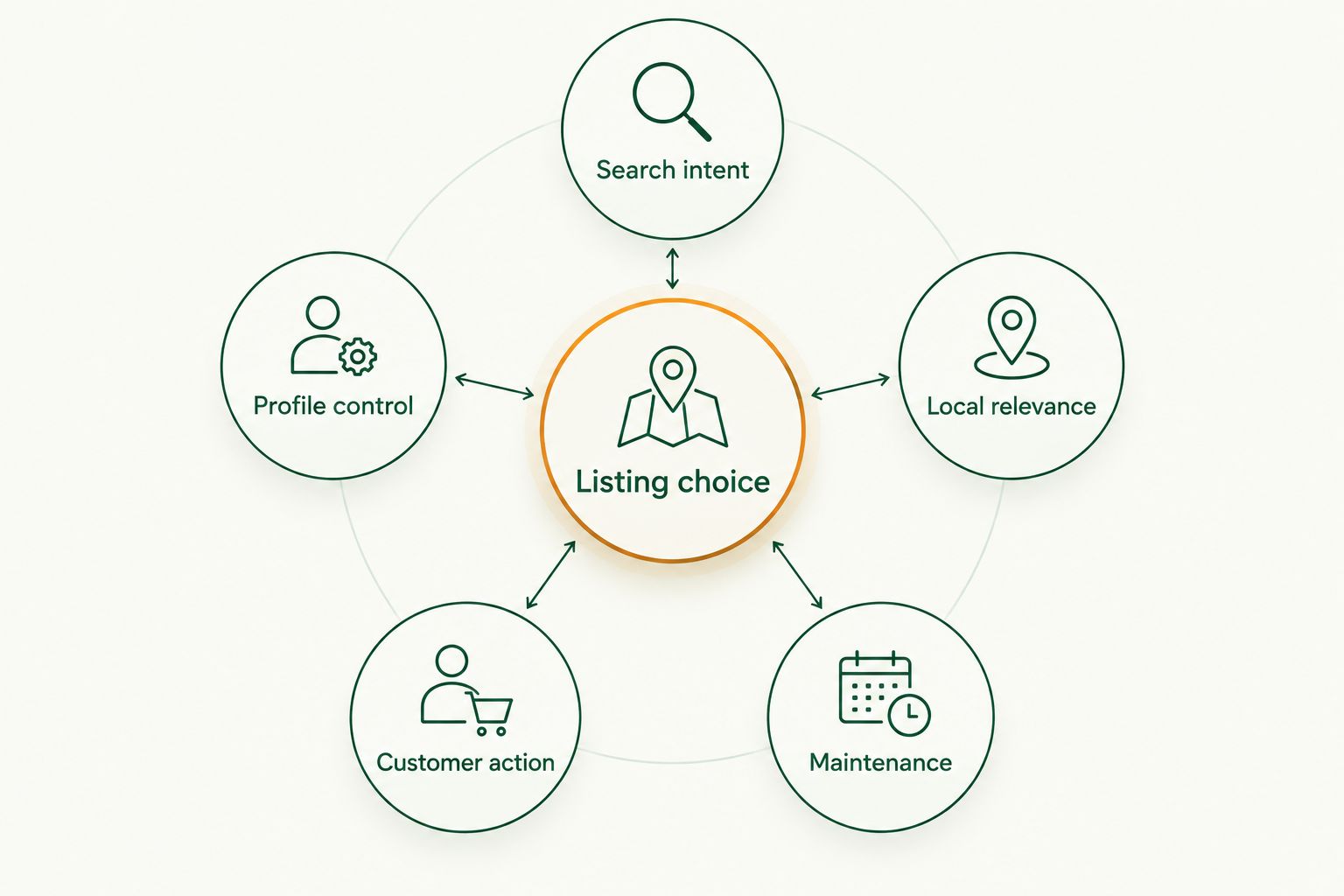
Use these criteria before choosing where to list. A popular platform is not automatically the right platform for every local business.
- Search intent: Can someone find you while looking for your category, your name, or a nearby option?
- Profile control: Can you keep your business details current and explain what you offer?
- Local relevance: Does the platform help people distinguish a nearby independent business from a result elsewhere?
- Customer action: Can someone take a useful next step, such as finding directions, reading reviews, or checking a special?
- Maintenance: Can you keep the listing accurate alongside the other profiles you already manage?
These are checks for a listing choice, not a claim that every platform does the same job. In 2026, the strongest combination is usually a primary search presence plus a channel that matches how your customers decide.
Yellow Pages alternatives at a glance
| Option | Best for | Standout feature | Key limitation |
|---|---|---|---|
| HometownFirst | Community discovery and specials | Local directory profiles, specials, and events | Does not replace search-and-map listings |
| Google Business Profile | General search and map discovery | Business details in Google Search and Maps | Not a dedicated local-community directory |
| Apple Business Connect | Apple Maps discovery | Control over an Apple Maps place card | Focused on Apple's ecosystem |
| Bing Places for Business | Bing search and map discovery | Business details in Bing results | Does not cover Google or Apple Maps |
| Yelp | Review-led discovery | Customer reviews alongside business profiles | Review activity is outside your control |
| Nextdoor | Neighborhood conversations | Business presence alongside local discussions | Visibility depends on neighborhood activity |
The table is a decision tree, not a claim that all six platforms bring the same audience. Pick the job your current listings do not cover, then use the matching option below.
1. HometownFirst: best Yellow Pages alternative for community discovery
HometownFirst is a local business directory where community members can search for businesses by location and discover specials and events. It fits an independent restaurant, retailer, or service business that wants to be found by nearby people looking to spend locally. HometownFirst is best for independent businesses that want a community-focused directory alongside their search-and-map listings.
The distinction is purpose. A map helps someone locate a business they may already need; a community directory also gives someone a place to browse local options and notice a special. That makes the directory a useful addition when you have something current to share, not a reason to leave your map details unattended.
HometownFirst pros:
- Gives nearby shoppers a way to browse and search local businesses.
- Lets business owners show profiles, specials, and events.
- Keeps the focus on independent businesses and local spending.
HometownFirst cons:
- A directory profile does not replace your presence in Google, Apple, or Bing maps.
- Specials and events need attention when details change.
- Customers have to use the directory to discover your listing there.
Best for: Independent local businesses with current information or specials to share. Verdict: Choose it as a community-discovery channel, not your only listing.
2. Google Business Profile: best for general local search
Google Business Profile manages how business information appears across Google Search and Maps. If someone searches for your business name, your category, or a nearby option on Google, this is the profile to maintain. It is the default starting point for a business that has not yet settled its search-and-map presence.
Check the details a customer needs to make a decision: business name, category, location or service area, hours, and the action they can take next. Do not treat a completed profile as permanent. A changed schedule makes an old listing less useful, however carefully you filled it out the first time.
Google Business Profile pros:
- Connects your business information with Google Search and Maps.
- Supports discovery by business name and relevant local searches.
- Gives you a central place to update essential details shown on Google.
Google Business Profile cons:
- A listing does not guarantee a particular position in search results.
- It does not put your business on Apple Maps or Bing by itself.
- It is not a directory built specifically around local specials and events.
Best for: Businesses that need a primary Google search-and-map listing. Verdict: Choose it first if your Google details are incomplete or out of date.
3. Apple Business Connect: best for Apple Maps discovery
Apple Business Connect gives businesses a way to manage their place information across Apple services, including Apple Maps. Its role is clear: help someone using an Apple device recognize your business and find accurate details. It belongs on the shortlist when you are checking whether customers can find you across map services.
Keep the task narrow. Confirm that the place card represents the right business, then check the address, hours, and other details customers rely on. If a location changes, review Apple Maps rather than assuming an edit on another platform will settle every listing.
Apple Business Connect pros:
- Lets you manage business information used in Apple Maps.
- Adds a map-discovery route beyond Google.
- Gives customers another place to verify location details.
Apple Business Connect cons:
- Its strongest use case is within Apple's services.
- It does not replace a Google Business Profile or Bing listing.
- It is less suited to a business whose immediate goal is community browsing or review-led discovery.
Best for: Businesses that want accurate discovery on Apple Maps. Verdict: Choose it after checking your primary search listing.
4. Bing Places for Business: best for Bing search visibility
Bing Places for Business helps businesses manage listing information in Bing search and maps. It addresses a specific gap: a customer who searches with Bing still needs to find the right location and current business details. Treat it as another map-and-search listing, not as a separate community campaign.
Start by confirming the business identity and location. Then compare the listing with the details on your other profiles. The goal is consistency where it matters to a customer: the right business, the right place, and the right hours.
Bing Places for Business pros:
- Covers a search-and-map route outside Google and Apple.
- Gives you control over core business listing details in Bing.
- Fits into a straightforward listing-accuracy check.
Bing Places for Business cons:
- It does not update your Google or Apple listings for you.
- It serves Bing discovery rather than community browsing.
- Another profile means another place to check after a business change.
Best for: Businesses filling a gap in Bing search and map information. Verdict: Choose it when your primary listing is already accurate.
5. Yelp: best for review-led discovery
Yelp is a business directory where customers can read and write reviews. It fits a business whose customers compare experiences before deciding where to eat, shop, or book a service. A clear business profile helps people understand what you do; the reviews provide customer perspectives you cannot write yourself.
This is a different job from maintaining a map pin. Check that the profile describes the right business and that basic details stay current. Read feedback for recurring questions or confusion, but do not assume you control what customers say or which review a prospective customer sees first.
Yelp pros:
- Puts business information beside customer reviews.
- Gives comparison-minded customers a place to assess experiences.
- Supports discovery by business type and location.
Yelp cons:
- Customer reviews are outside the business owner's control.
- Maintaining a profile does not guarantee favorable feedback.
- It does not replace your listings in major map services.
Best for: Businesses whose customers use reviews to narrow their choices. Verdict: Choose it when review-led discovery matters to your customers.
6. Nextdoor: best for neighborhood conversations
Nextdoor centers on local neighborhoods, and businesses can maintain a presence there. Its strongest fit is a business that wants to be recognizable when neighbors discuss local options. Think of it as a neighborhood channel rather than a substitute for a complete search listing.
A business page needs accurate basics, but the surrounding conversation belongs to the community. You cannot rely on a recommendation appearing whenever someone asks for your category. That makes Nextdoor an addition for neighborhood participation, not the foundation of your visibility plan.
Nextdoor pros:
- Places business information in a neighborhood-focused setting.
- Fits businesses that serve customers in nearby communities.
- Offers a different discovery context from maps and review sites.
Nextdoor cons:
- Neighborhood conversation is not under your control.
- A business page does not ensure a recommendation.
- It cannot replace an accurate search-and-map listing.
Best for: Businesses that want a presence where nearby residents discuss local options. Verdict: Choose it as an addition, not your sole directory.
How we ranked these options
The order reflects the distinct job each option does for a local business in 2026: community browsing, broad search, device-specific maps, reviews, or neighborhood conversation. HometownFirst leads this list for its fit with local discovery and specials. Google Business Profile remains the best overall starting point when you need a primary search-and-map listing.
That distinction matters more than the rank number. If your business is missing from a map your customers use, correct that before adding another promotional channel. If your map details are sound but you want nearby people to discover a current special, a local directory addresses a different need.
Which Yellow Pages alternative should you choose?
Start with Google Business Profile if you are undecided. Make sure customers can identify your business, find the correct location or service area, and see current hours. In 2026, that is a clearer first move than creating several profiles you cannot keep accurate.
Then choose 1 additional channel for a distinct task. Pick a community directory for local browsing and specials, Yelp for review-led comparison, Apple Business Connect or Bing Places for the corresponding map and search service, or Nextdoor for neighborhood presence. Review the details across your chosen listings whenever your business information changes.
Help neighbors find your business
Show your business profile, specials, and events to people browsing local options.
FAQ
What's the best Yellow Pages alternative for a local business in 2026?
Google Business Profile is the best overall starting point for Google search and map discovery. Add another directory when it serves a different customer habit, such as browsing local specials or reading reviews.
Is a local business directory better than Google Business Profile?
A local business directory serves a different purpose from Google Business Profile. Use Google for its search-and-map presence, then add a directory if you want customers to browse local businesses, specials, or events.
Does HometownFirst replace a Google Business Profile?
No. HometownFirst is a community-focused local business directory, while Google Business Profile manages information shown in Google Search and Maps. Keep both accurate if you use both.
Which Yellow Pages alternative helps customers compare reviews?
Yelp is the clearest fit for review-led discovery on this list. Its business profiles sit alongside customer reviews, which your business cannot control.
How do customers find my business on Apple Maps?
Manage your business information through Apple Business Connect. Check that the place details match your business before relying on the listing for directions.
Should a local business list itself on every directory?
No. Start with a primary search-and-map listing, then add channels that match a specific customer need. Every extra profile creates another place to update when your details change.
What should I check on an existing business listing?
Check your business name, location or service area, hours, and the next action a customer can take. Make the same check after any change to your business information.
One last thing
A listing is useful only if its next step still works. In 2026, check your profiles as a customer would: search for the business, read what appears, and confirm that the location and hours help you act. Fix a wrong detail before adding another directory.