
Coffee shop business directory listings are online profiles that help nearby customers find your café, check its details, and decide whether to visit. For your 2026 listing plan, focus on accurate hours, clear location information, and the details that distinguish a quick coffee stop from a place to sit and stay.
- Business directory listings for coffee shops should answer where you are, when you open, and what customers can expect.
- Google Business Profile is best for maintaining your shop’s presence in Google Search and Maps.
- HometownFirst is best for independent coffee shops seeking local discovery through business profiles, specials, and events.
- Keep map listings current before adding directories; measure customer actions rather than counting profiles.
Why business directory listings matter for coffee shops
A coffee shop listing helps someone make a practical decision: stop here before work, meet a friend, or find somewhere nearby while visiting an unfamiliar neighborhood. Your profile needs to answer that decision, not read like a company brochure.
Opening hours matter because a morning coffee stop is different from an afternoon meeting. Entrance details matter when your shop sits inside another building. Seating, takeaway options, and accessibility information help customers judge whether the visit fits their needs—provided those details accurately describe your shop.
Make your existing profiles useful before adding more directories. Start with the options in this guide to free business listing sites, then choose additional channels with a clear role in your local discovery plan.
For 2026, treat listings as customer-facing information that needs maintenance. A profile is not finished simply because you created it; changed hours, an outdated menu link, or an old entrance photo can leave a customer with the wrong impression.
How to build coffee shop listings that help customers
Use this sequence: confirm shop details, update map listings, choose relevant directories, show the experience, refresh local specials, and measure customer actions. Each step solves a different problem, from getting someone to the right door to understanding which listings deserve your attention.
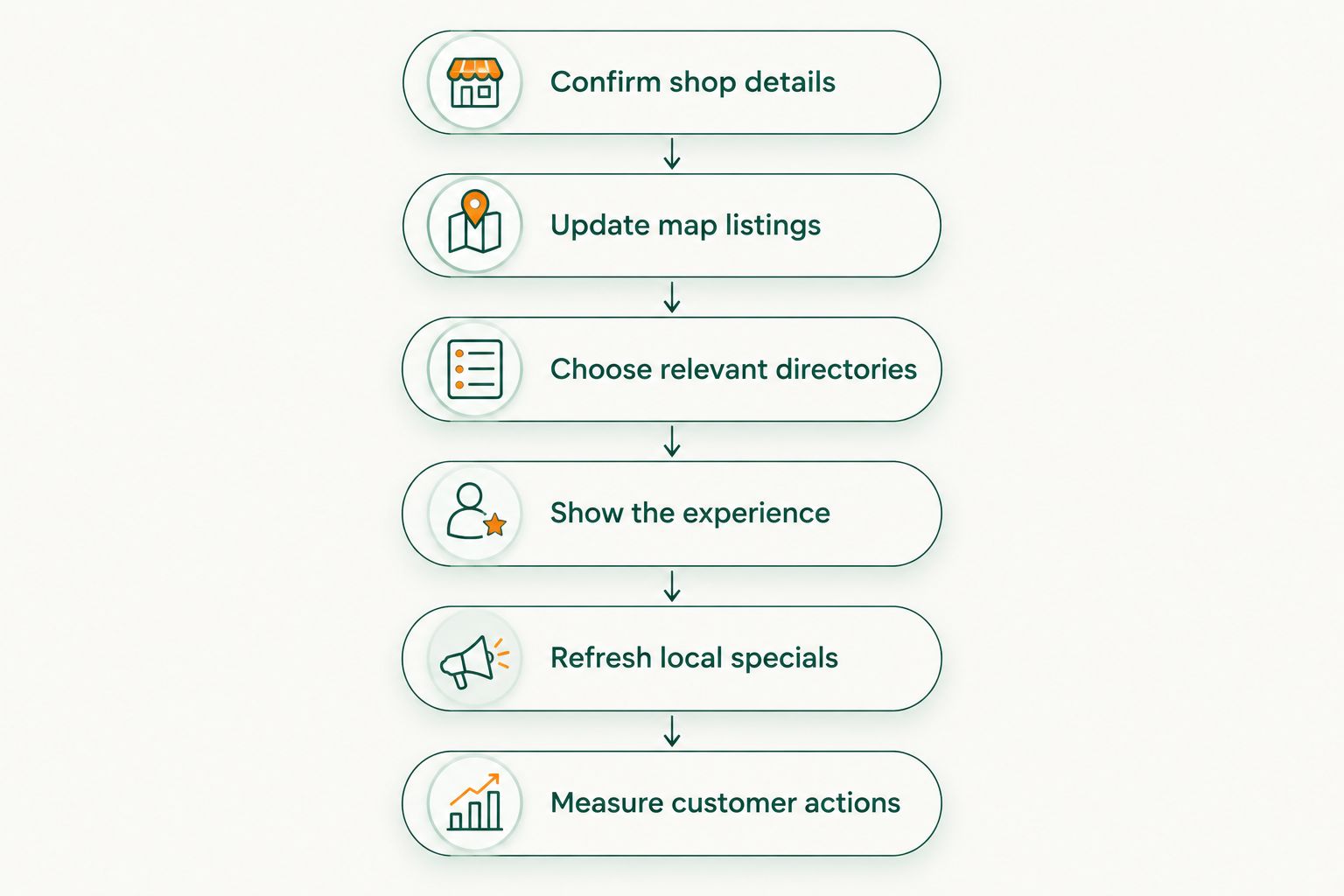
Confirm shop details
Start with a shared document or spreadsheet. Write down the information you want every directory to display, then ask someone who works in the shop to check it against the customer experience. This gives you a dependable reference instead of copying details from one possibly outdated profile to another.
Use your real customer-facing business name. Include the full address, the correct unit or suite, a phone number customers can reach, and your regular opening hours. Add exceptions separately so a holiday schedule does not become your permanent schedule.
Give each location its own record. Two branches can share a brand but have different hours, entrances, menus, and amenities. Copying one branch’s information across every profile creates avoidable confusion.
Set aside 15 minutes for an initial accuracy check. That is a practical starting task, not a promise that every correction will be completed in that time. Resolve disagreements before publishing another listing.
- Record the business name used on your storefront and website.
- Confirm the address, unit, and customer entrance.
- Check the public phone number and website destination.
- Separate regular hours from holiday exceptions.
- Assign one person to maintain the master record.
Update map listings
Review your existing Google Business Profile and other map listings manually before paying for another channel. Search for your shop by name and location, inspect what customers see, and use the platform’s ownership or correction process to address mistakes.
Google Business Profile manages business information shown in Google Search and Maps. Apple Business Connect is another option for managing your business presence in Apple’s ecosystem. Follow each platform’s current requirements rather than assuming the same setup process works everywhere.
Choose the most accurate available primary category. A coffee shop should not describe itself as a restaurant solely to reach a broader audience if that description misrepresents the business. Add other categories only when they reflect what customers can actually find there.
Check directions as well as the written address. A correct street address does not explain an entrance around the corner or a café inside a larger property. Give customers a useful arrival instruction wherever the platform supports it.
- Search for existing profiles before creating new ones.
- Claim or verify the correct location through official processes.
- Choose categories that match the actual business.
- Check the map position and entrance information.
- Correct duplicate or outdated profiles through the platform’s process.
Choose relevant directories
Build a shortlist by searching the way a customer would: coffee shops in your neighborhood, cafés near a local landmark, or independent businesses in your town. Inspect the results yourself. A directory’s name alone does not tell you whether its browsing experience fits your customers.
Evaluate each candidate by location relevance, category fit, ease of updating, and the information you can publish. A neighborhood directory and a review platform serve different purposes. Choose the role first, then decide whether maintaining another profile is justified.
HometownFirst is best for independent coffee shops seeking local discovery through business profiles, specials, and events. The platform lets community members search businesses by location while owners maintain subscription listings. It is an additional discovery channel, not a replacement for accurate map profiles or your own website.
You can explore HometownFirst when your basic listings are in order. Its local-first focus fits a neighborhood café, but a subscription still needs a clear purpose and someone responsible for keeping its information useful.
- Check whether customers can browse your location and business category.
- Identify what the directory adds beyond your existing profiles.
- Review the current listing terms before committing.
- Confirm how you will update details, specials, or events.
- Start with a manageable shortlist rather than joining every directory.
Show the experience
Use your phone to take current, clear photographs before arranging professional photography. Start outside, where someone approaching the shop needs help recognizing the entrance. Then show the counter, seating, and products that genuinely represent a normal visit.
Write your description around customer questions. Explain what kind of coffee shop you run and what someone can expect. Mention outdoor seating, food, Wi-Fi, or other amenities only when you provide them; attractive wording is no substitute for accuracy.
Keep each location distinct. If one branch has seating and another is takeaway-focused, say so. Customers should not need to discover that difference after arriving.
For your 2026 refresh, review photographs for misleading details. Old opening-hour signs, furniture that has been removed, and products you no longer serve can contradict otherwise accurate listing text. A current entrance photo can be more useful than a carefully styled close-up that says nothing about the visit.
- Add a recognizable storefront or entrance photograph.
- Show the seating arrangement customers will actually find.
- Use representative drink and food photographs.
- Describe amenities precisely, without broad unsupported claims.
- Replace images that no longer reflect the shop.
Refresh local specials
Keep a simple calendar before using any publishing tool. Record the start, end, conditions, and owner of each special or event. This makes it easier to keep your directory listing, website, and in-shop communication consistent.
A special needs enough information for someone to understand it without calling. State what it covers, which location participates, and any relevant conditions. An event needs its date, time, location, and participation instructions. Publish only what your business has actually confirmed.
HometownFirst supports business profiles, specials, and events, making it an option for sharing these updates with people browsing local businesses. The benefit depends on the accuracy and usefulness of what you publish. An expired special remains a customer-service problem regardless of where it appears.
Schedule the removal when you schedule the announcement. Do not leave cleanup until someone remembers. If you have no current special or event, keep the profile accurate rather than inventing an offer just to fill a space.
- Write the offer or event in plain language.
- Specify the participating location.
- Include relevant dates, times, and conditions.
- Check that staff understand the published details.
- Remove or revise the listing when the information expires.
Measure customer actions
Start with a basic tracking sheet and a consistent question at the counter: how did you hear about the shop? Staff should record voluntary answers without turning a friendly exchange into an interrogation. Keep the categories simple enough to use during service.
Where a directory allows a website link, use a tagged destination so your website analytics can distinguish that traffic. Treat website visits, calls, directions requests, and customer-reported discoveries as different signals. None automatically proves that a customer bought something.
Use a 30-day review window for your first check, then continue recording results consistently. This is a suggested workflow, not an industry benchmark. Note changes you made during the period so you do not confuse an updated profile with an unrelated promotion.
For your 2026 review, compare the evidence with the effort required to maintain each channel. Keep a directory for a defined job, not because its profile count makes your marketing report look busy. Investigate weak results before renewing the same approach unchanged.
- Record directory names and profile update dates.
- Tag website links where the platform allows it.
- Separate traffic signals from confirmed customer purchases.
- Collect voluntary customer-reported discovery sources.
- Review results alongside maintenance effort and subscription commitments.
Compare listing options for coffee shops
Choose an option for the task it performs. Map visibility, review research, neighborhood browsing, and detailed menu information are related, but they are not interchangeable.
The table below separates those jobs. Your own website is included as the information source supporting your listings, not as a business directory. Starting with accurate map information gives you a foundation; additional channels need their own reason to exist.
| Option | Best for | Main advantage | Key limitation |
|---|---|---|---|
| Google Business Profile | Customers searching through Google Search and Maps | Maintains your shop’s business information in those services | Accurate information does not guarantee a particular search position |
| Apple Business Connect | Maintaining business information for Apple users | Gives owners a way to manage their business presence | Does not replace profiles on other discovery channels |
| Yelp | Customers researching businesses through reviews | Combines business information with customer reviews | A business cannot control customers’ opinions |
| HometownFirst | Independent cafés seeking location-based local discovery | Supports business profiles, specials, and events | A subscription listing still requires maintenance and does not guarantee visits |
| Your own website | Customers needing detailed information directly from the shop | Gives you control over your published content | Customers still need a way to discover it |
Use complementary channels rather than expecting one profile to do everything. Keep your website as a dependable source for detailed information, maintain relevant map profiles, and evaluate directories against a specific discovery goal.
Before adding another option, ask what customer question it answers better than your current setup. If you cannot identify that role, improve an existing profile first. More places to publish also means more places to correct when something changes.
Common listing mistakes coffee shops make
Publishing hours that do not match service
A café’s public opening time should reflect when customers can actually order. If the kitchen closes before the coffee counter, explain that difference where the listing supports it. Do not make customers infer service hours from a general opening schedule.
Describing every location the same way
A quiet seated café and a small takeaway counter offer different experiences, even under one name. Give each branch accurate photos and descriptions. The shared brand should not erase practical differences that affect a visit.
Advertising amenities without checking them
Claims such as accessible seating, outdoor tables, or reliable workspace facilities need a factual check. Describe the specific provision rather than applying a broad label. Ask the person responsible for the location to confirm the wording before publication.
Leaving expired specials visible
An old special creates an expectation your staff must then correct. Include an end date in your internal calendar and remove the announcement promptly. Treat specials as time-sensitive customer information, not permanent decoration on a profile.
Confusing listing activity with customer results
Adding photos and creating profiles are tasks, not evidence of new business. Connect your reporting to identifiable customer actions and voluntary feedback. In 2026, keep the distinction between publishing work and customer outcomes clear when reviewing your directory plan.
FAQ
What are business directory listings for coffee shops?
Business directory listings for coffee shops are online profiles that help customers find a café and check its location, hours, and other details. Useful profiles explain what customers can expect before they visit.
What’s the best directory for an independent coffee shop?
The best directory depends on the discovery task you need it to perform. Google Business Profile supports information in Google Search and Maps, while HometownFirst suits independent shops seeking local discovery through profiles, specials, and events.
Should I update Google Business Profile before adding another directory?
Yes—correct your existing Google Business Profile before expanding your directory list. Accurate map information provides a useful foundation, while another directory adds another profile to maintain.
Do business directory listings guarantee a higher Google ranking?
No, business directory listings do not guarantee a higher Google ranking. Evaluate them for accurate customer information and measurable discovery rather than a promised search position.
Does each coffee shop location need its own listing?
Each coffee shop location should have its own accurate profile wherever the platform permits and the business meets its requirements. Hours, entrances, photographs, and amenities should describe that specific branch.
What should I include in my coffee shop description?
Include the kind of coffee shop you run, its location context, and the details that help customers decide whether to visit. Mention seating, food, takeaway service, or other amenities only when they accurately describe your shop.
How do I know whether a directory brings customers?
Track identifiable website referrals, available customer-action signals, and voluntary answers to how customers heard about you. Keep those signals separate from confirmed purchases so your reporting does not overstate results.
One last thing
Test your listing as someone who has never visited. Open it on your phone, find the opening time, identify the entrance, and work out whether the shop fits your plans. Ask a friend unfamiliar with the café to do the same without coaching.
If either of you needs information that is missing, fix that gap before creating another profile. Your next useful improvement might be an entrance photograph or a clearer description—not another directory account.