
Instead of rewriting every special separately, cross-post local deals from HometownFirst to Nextdoor using one approved offer record: publish the directory special, adapt it for a neighborhood audience, then check both versions. This guide covers a manual publishing workflow, not an automatic connection between accounts.
- Cross-post local deals from HometownFirst to Nextdoor with one approved offer record and separate publishing checks.
- Use directory specials for local discovery and neighborhood posts for relevant community context.
- Keep the offer terms consistent; rewrite the introduction for each audience.
- When an offer changes, review both published versions rather than assuming they stay synchronized.
Why this matters
A special becomes confusing when the directory describes one offer and a neighborhood post describes another. Customers should not have to work out which version applies before visiting your business.
HometownFirst is best for independent businesses that want location-based directory discovery and a place to publish specials. Nextdoor serves a different purpose: sharing information within a neighborhood setting. Treat the two as separate publishing destinations, not interchangeable copies.
Start with your business information on HometownFirst, then prepare a neighborhood version that explains who the special is for and where customers can use it. The offer stays the same; the introduction changes.
For your 2026 workflow, use 1 source record, 2 publishing destinations, and 3 final checks: offer terms, location, and customer action. These are workflow instructions, not platform limits.
Before you start
- Account access: Have permission to manage your directory listing and the relevant Nextdoor business presence. Confirm that you can publish business content through the account you intend to use before preparing the post.
- Approved materials: Gather the offer wording, applicable location, start and end details, redemption instructions, and an image you have permission to share. Leave out anything your business has not approved.
- The gotcha: Do not assume that publishing a directory special also publishes or updates a Nextdoor post. Check Nextdoor’s current business-posting rules and the publishing options available to your account before proceeding.
Keep account credentials separate from your offer record. Anyone helping with copy needs the approved wording; they do not automatically need access to your accounts.
Source record
Prepare the offer before opening either publisher
- Create a shared document or another record your business already uses. Give the special a recognizable working name so staff can distinguish it from other offers.
- Record Offer, Location, Dates, Redemption, and Restrictions as your own document headings. These are preparation fields, not platform interface labels.
- Write the offer in plain language. Explain what the customer receives and what they must do, without relying on an image to carry the conditions.
- Assign a person to approve changes. Record who approved the wording and when so staff can identify the current version.
- Add separate spaces for the directory copy and the neighborhood copy. Keep the approved terms above both versions so a rewrite does not quietly change the offer.
Expected result: You have a single approved reference that contains everything needed to publish the special accurately.
For example, a neighborhood introduction can explain that the offer applies at your nearby location. It should not add an extra benefit, imply a broader service area, or remove a restriction simply to sound friendlier.
If a condition needs clarification, settle it before publishing. A clear source record prevents the same question from producing different answers across your posts and your front counter.
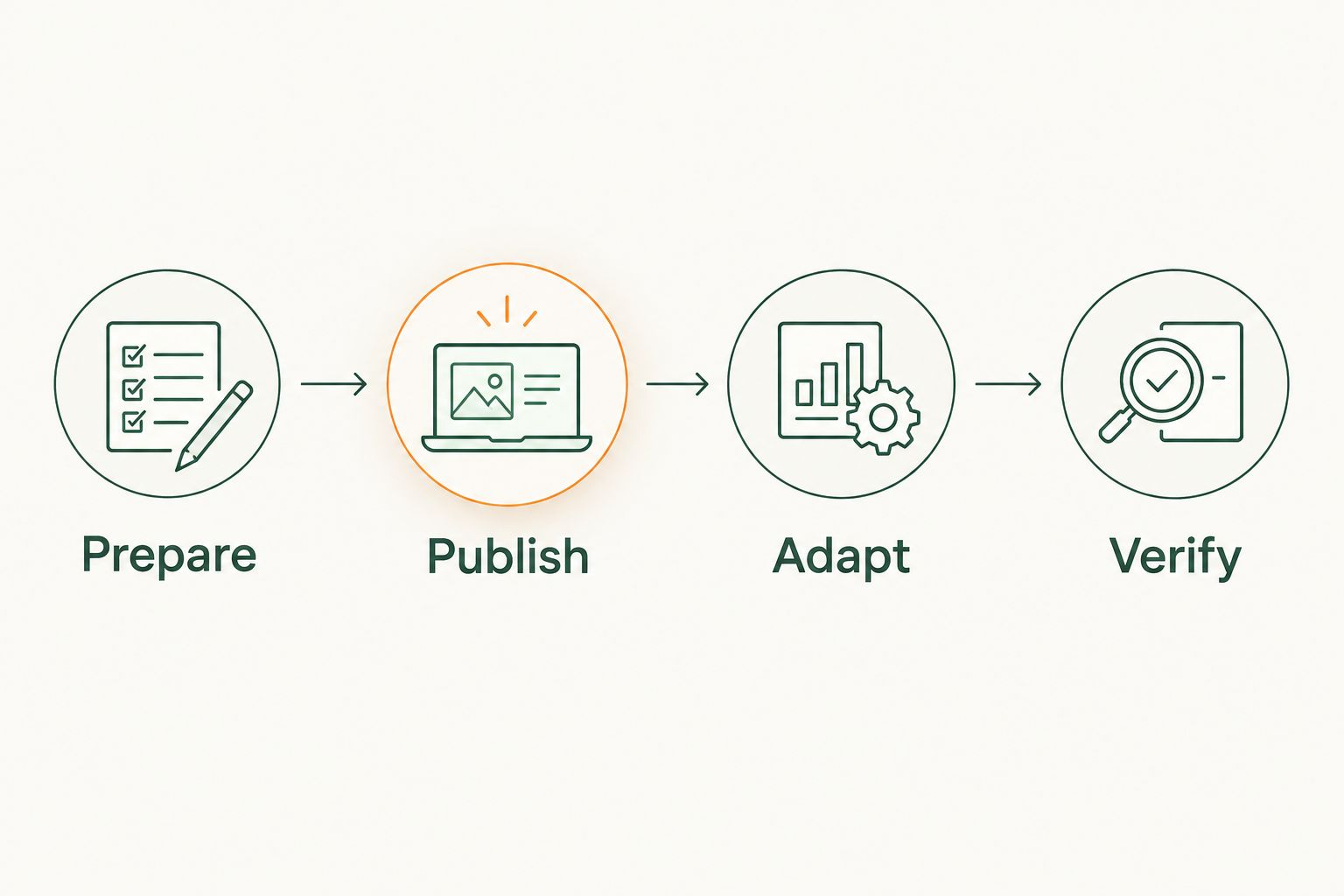
The repeatable sequence is Prepare, Publish, Adapt, Verify. Keep that sequence attached to each special rather than relying on someone to remember which destination still needs attention.
Directory special
Publish the reference version first
- Open the business listing you are authorized to manage. Confirm the business and location before changing any content.
- Use the listing’s available special-publishing function to enter the approved offer. Follow the controls shown in your account rather than assuming another account’s interface is identical.
- Include the details a customer needs to decide whether the special applies: the relevant location, offer period, redemption instructions, and conditions.
- Review the content before publishing. Read the text independently of the image to confirm that the written description makes sense on its own.
- Publish the special, then inspect the customer-facing result. Record its location in your working document so you can return to the correct version later.
Expected result: Your directory special displays the approved offer, and you know where to find its published version.
Do not treat a successful save as the final check. Open the public-facing listing and compare what a customer sees with your source record. Check for omitted conditions, an incorrect location, or formatting that separates a restriction from the offer it qualifies.
For a business with several locations, review the location deliberately. An offer intended for one branch should not read as though every branch accepts it.
Neighborhood post
Adapt the introduction without changing the terms
- Open the Nextdoor business presence you are authorized to use. Confirm that the account has an appropriate publishing option for your business content.
- Begin with the neighborhood relevance: what your business is offering and which local customers or location it applies to. Avoid an introduction that sounds like a personal recommendation from an unrelated customer.
- Copy the approved offer terms from your source record. Rewrite the surrounding explanation, but preserve the conditions and redemption instructions.
- Include a relevant destination link only where the publishing option and current rules permit it. Open the destination yourself and confirm that it supports the offer described in the post.
- Review and publish through the permitted business-posting option. Inspect the published result and record where it appears in your source document.
Expected result: The neighborhood post communicates the same special in language suited to nearby readers.
Use the comparison below to decide what belongs in each version. For a broader channel decision, read HometownFirst vs. Nextdoor.
| Destination | Best for | Useful role | Limitation to plan around |
|---|---|---|---|
| HometownFirst | Independent businesses seeking location-based directory discovery | A business profile with published specials | This workflow still requires a separate neighborhood publishing step |
| Nextdoor | Businesses sharing relevant information with nearby neighbors | A neighborhood-facing explanation of the special | Business posting depends on current rules and account access |
Use each destination for its audience, not as a substitute for the other. A directory description can get straight to the offer; a neighborhood post should also explain why the information belongs in that local conversation.
Publication checks
Verify the customer journey on both destinations
- Check the terms. Compare each published version with the source record. Look specifically for conditions that disappeared during copying or editing.
- Check the location. Confirm that the business name, applicable branch, and customer instructions point to the intended place.
- Check the action. Follow the link or redemption instructions as a customer would. Confirm that the next step matches what the post promises.
- Record each destination as checked only after inspecting the published result. Keep drafts and published versions clearly distinguished.
- Tell the staff handling redemptions where to find the approved terms. Give them the same wording customers see rather than a separate verbal summary.
Expected result: Both published versions tell a consistent story, and staff know how to honor the special.
Make this your 2026 publishing rule: a special is ready only when the customer-facing versions agree. Publishing is an action; verification is a separate action.
Do not judge the workflow solely by whether both posts exist. A post with the wrong branch or unclear redemption instructions is still unfinished, even when the offer headline is correct.
Update both versions whenever an offer changes
The adjacent workflow is maintenance: revise an existing special instead of creating a new one. Use it when the applicable dates, terms, location, or redemption instructions change.
- Update the source record and obtain approval for the revised wording.
- Review the directory version and apply the approved change through the available management controls.
- Review the Nextdoor version and use the permitted editing or removal controls. If an existing post cannot be corrected, follow the platform’s current options for handling outdated content.
- Inspect both customer-facing results again. Do not assume that correcting one destination corrects the other.
- Update the staff reference so the old instructions do not remain in use internally.
Expected result: The change reaches both destinations, and your business has a clear record of the current offer.
For your 2026 offer calendar, attach the review task to the special’s actual end date. Do not invent a standard duration for every offer; use the dates your business approved.
Keep the old wording distinguishable from the current wording in your internal record. That helps staff answer questions about an earlier post without accidentally republishing an expired version.
Troubleshooting
You cannot find a business-publishing option
Confirm that you are using the intended account and have permission to manage the business presence. Consult Nextdoor’s current help information for the account’s available posting options. Do not work around missing business access by presenting a promotion as an unrelated neighbor’s recommendation.
The two versions show different conditions
Return to the approved source record before editing either post. Correct the version that differs, then inspect both published results again. If the source record itself is ambiguous, obtain an approved correction rather than choosing whichever wording sounds more appealing.
The destination link opens the wrong place
Open the link outside the editing screen and follow it through to the customer-facing destination. Replace a link that sends readers to an unrelated page or the wrong location. Check that the destination explains the promised next step rather than assuming the link alone completes the instructions.
An image contains outdated wording
Replace or remove the outdated image through the available publishing controls. Correcting the caption does not correct text embedded in the picture. Keep essential conditions in the written post so customers do not need to inspect small image text to understand the offer.
An old version remains visible after a change
Check the published result rather than the draft or editor. Confirm that the change was applied to the intended post and account, then review the platform’s current editing or removal guidance. Do not publish repeated copies simply because you have not yet located the original.
Customize your workflow
Expand the routine only after the basic publishing and correction steps are clear. For several locations, keep a separate approved offer record for each location-specific special. For shared offers, identify the participating locations explicitly.
Add a simple customer-source question to your existing conversation if it fits your business: ask where the customer heard about the special. Record the answer without treating a casual response as precise attribution.
For your 2026 review, separate publishing activity from business outcomes. A completed post confirms that content was published; a redemption confirms that someone used the offer. Neither tells you the entire customer journey by itself.
FAQ
How do I cross-post local deals from HometownFirst to Nextdoor?
Use one approved offer record, publish the directory special, then adapt and publish a neighborhood version through your authorized Nextdoor business presence. Inspect both published versions for matching terms, location, and redemption instructions.
Does this workflow automatically sync the two platforms?
No. This guide uses separate manual publishing and verification steps, so changes require a review of both destinations.
Should I copy exactly the same text into both posts?
Keep the offer terms identical, but adapt the introduction for each audience. The neighborhood version should explain the local relevance without changing the conditions.
Can I share a business special from a personal Nextdoor account?
Use the business-posting options permitted by Nextdoor’s current rules and your account access. Do not disguise your own promotion as an independent customer recommendation.
What should I do when a special ends?
Review both published versions and use their available controls to address the ended offer. Update your internal reference so staff do not continue using outdated redemption instructions.
Is HometownFirst or Nextdoor better for this workflow?
Use the directory for location-based business discovery and Nextdoor for a neighborhood-facing explanation where business posting is permitted. The choice depends on the publishing job, not a universal winner.
What if I do not have an approved image?
Do not use an image you lack permission to publish. Prepare clear written offer details and use only the content formats available through the relevant publishing option.
One last thing
Check the image when you change the offer. An edited caption can sit beside a picture that still shows the old conditions. Your final check should cover everything the customer sees, not just the text you last touched.