MapQuest is useful for finding places and planning driving routes. For a local business owner, route planning is a different job from promoting specials, sharing events, or managing a search profile. The best MapQuest alternative in 2026 is HometownFirst if you need a local business directory for specials and events; Google Business Profile if you need to manage your presence in Google Search and Maps.
- Among MapQuest alternatives, HometownFirst fits independent businesses seeking local discovery, specials, and event listings.
- Google Business Profile fits businesses managing their information in Google Search and Maps.
- Yelp fits businesses that need a review-focused local business presence.
- Apple Business Connect fits businesses managing place information in Apple Maps.
- Keep MapQuest when directions remain useful; choose business listings around a separate customer need.
Why this matters
A customer looking for directions already has a destination in mind. Someone browsing local businesses, reading reviews, or looking for a special is still deciding where to spend.
That distinction changes which platform you should choose. Pick the listing that supports the customer's next decision, not simply another service with a map. A restaurant sharing an event and a contractor correcting business hours have different jobs to do.
For your 2026 listing plan, separate discovery from navigation. Then decide which information you can keep accurate without creating another neglected profile.
MapQuest alternatives at a glance
These options serve different purposes. The table includes MapQuest itself so you can compare the original use case with the business-listing task you want to solve.
| Platform | Best for | Standout function | Difference from MapQuest |
|---|---|---|---|
| MapQuest | Finding places and planning routes | Maps, local place search, and driving directions | The navigation benchmark in this comparison |
| HometownFirst | Independent businesses sharing profiles, specials, and events | A local-first directory searchable by location | Centers business discovery and local offers rather than route planning |
| Google Business Profile | Managing business information in Google Search and Maps | Business profiles connected to Google's search and map results | Gives owners a way to manage their Google business presence |
| Yelp | Maintaining a review-focused business presence | Business pages with customer reviews | Centers business evaluation through reviews rather than driving routes |
| Apple Business Connect | Managing business information in Apple Maps | Business place-card management | Focuses on your business information within Apple's mapping experience |
The order reflects the use cases covered here, not audience size or guaranteed results. A listing's value depends on whether it helps the customers you want reach the information they need.
1. HometownFirst: best for local specials and events
HometownFirst is a local business directory for independent restaurants, retailers, and service businesses. Owners can list business profiles, post specials, and list events, while consumers browse and search by location.
That makes it a direct fit when your goal is to give nearby shoppers reasons to discover your business. It is a different proposition from helping someone calculate a driving route after choosing a destination.
Where it shines
- Local discovery: Customers can search for businesses by location.
- More than contact details: Business profiles can sit alongside specials and events.
- Independent-business focus: The platform's stated purpose is encouraging local spending and stronger communities.
- Consumer privacy: Consumers can browse without their information being sold or receiving unsolicited ads afterward.
Where it falls short
- Business listings require a monthly subscription, so this is an ongoing commitment rather than a one-time directory submission.
- Specials and events need attention from the business owner. An outdated promotion creates confusion instead of a useful reason to visit.
- A directory presence does not replace maintaining accurate business information on the mapping services your customers use.
| Dimension | HometownFirst | MapQuest |
|---|---|---|
| Main use case | Discovering local businesses and offers | Finding places and planning routes |
| Business content | Profiles, specials, and events | Place information within a mapping experience |
| Customer task | Decide which nearby business to explore | Locate a destination and plan the journey |
| Best role | Local discovery channel | Navigation channel |
Best for: Independent businesses that want a local directory presence and have specials or events to share.
For your 2026 plan, choose this option when local discovery is the job you need done. Keep your mapping information current alongside it rather than treating the directory as a replacement for every listing you already have.
Verdict: Choose for local discovery, specials, and events.
2. Google Business Profile: best for Google Search and Maps
Google Business Profile lets eligible businesses manage how their business information appears in Google Search and Maps. You can maintain details such as your address, hours, and phone number, and respond to customer reviews.
Choose Google Business Profile when your priority is the information people encounter while searching on Google. Unlike a separate directory, it connects business management with Google's own search and mapping experience.
Where Google Business Profile shines
- Search and maps together: Your business profile supports both ways customers look for local businesses.
- Practical visit information: Accurate hours, location details, and contact information help customers decide what to do next.
- Review responses: Owners can address customer feedback through the profile.
Where Google Business Profile falls short
- Your business must meet Google's eligibility requirements; not every business model qualifies for a profile.
- Managing a profile does not guarantee a particular search position.
- Reviews and business information require ongoing attention. Creating the profile is not the end of the work.
| Dimension | Google Business Profile | MapQuest |
|---|---|---|
| Main environment | Google Search and Maps | MapQuest maps and place search |
| Business-owner task | Manage a Google business profile | Maintain a useful presence for destination searches |
| Customer task | Search, evaluate, and locate a business | Find a place and plan a route |
| Best role | Google business-presence management | Navigation channel |
Best for: Eligible businesses that need to manage their information in Google Search and Maps.
Make accurate details your first priority. A profile with confusing hours or the wrong phone number fails at a basic customer task, regardless of how much promotional content you add.
Verdict: Choose for Google Search and Maps management.
3. Yelp: best for a review-focused business presence
Yelp combines local business pages with customer reviews. Business owners can claim their pages, maintain business information, and respond to reviews.
Choose Yelp when you need to manage the business page customers use to read about other people's experiences. Its central value in this comparison is evaluation, not route planning.
Where Yelp shines
- Customer feedback: Reviews give visitors information beyond the business's own description.
- Owner participation: Claimed pages let owners manage details and respond to feedback.
- Local browsing: Customers can search businesses by category and location.
Where Yelp falls short
- Owners do not control what customers write about their businesses.
- Review management takes care and consistency; defensive responses can distract from the issue a customer raised.
- A Yelp page does not replace accurate information in other search or mapping services.
| Dimension | Yelp | MapQuest |
|---|---|---|
| Primary emphasis | Business discovery and reviews | Maps and route planning |
| Owner task | Manage a page and respond to reviews | Support accurate destination information |
| Customer decision | Evaluate a business | Locate a business |
Best for: Businesses that need an owner-managed presence on a review-focused directory.
Keep responses factual and useful. Explain the relevant issue without publishing private customer information or turning a disagreement into an argument.
Verdict: Choose for review-focused business discovery.
4. Apple Business Connect: best for Apple Maps information
Apple Business Connect gives businesses tools to manage their place information in Apple Maps. It fits owners who want their business details maintained in Apple's mapping environment.
This is an information-management choice, not a substitute for every directory or review platform. Start with the details a customer needs before visiting or contacting you.
Where Apple Business Connect shines
- Apple Maps presence: Owners can manage information associated with their business place cards.
- Visit planning: Clear location and business details support customers using Apple Maps.
- Another mapping channel: It lets you address an environment separate from Google and MapQuest.
Where Apple Business Connect falls short
- Managing Apple information does not update your profiles on competing platforms.
- It adds another place where business details need to stay current.
- Its mapping role is different from a directory strategy built around local specials and community events.
| Dimension | Apple Business Connect | MapQuest |
|---|---|---|
| Mapping environment | Apple Maps | MapQuest |
| Main business task | Manage business place information | Support destination discovery and directions |
| Best role | Apple Maps information management | Route planning and place search |
Best for: Businesses that need to maintain their information in Apple Maps.
Verdict: Choose for Apple Maps place management.
Why people switch from MapQuest
The useful reasons to choose another platform are differences in the job each service does. These are use-case differences, not claims about MapQuest outages, policy changes, or customer dissatisfaction.
- You need to publish specials and events. Choose a directory that explicitly supports those types of business content.
- You need to manage your Google presence. Use Google Business Profile for information appearing in Google Search and Maps.
- You need to respond to Yelp reviews. Claim and manage the relevant Yelp business page.
- You need to correct Apple Maps information. Use Apple Business Connect for that environment.
For 2026, make the reason specific before adding another account. Replacing one map with another will not solve a need that is actually about promotions, reviews, or business-profile management.
Choose with 3 checks, then maintain 4 fields
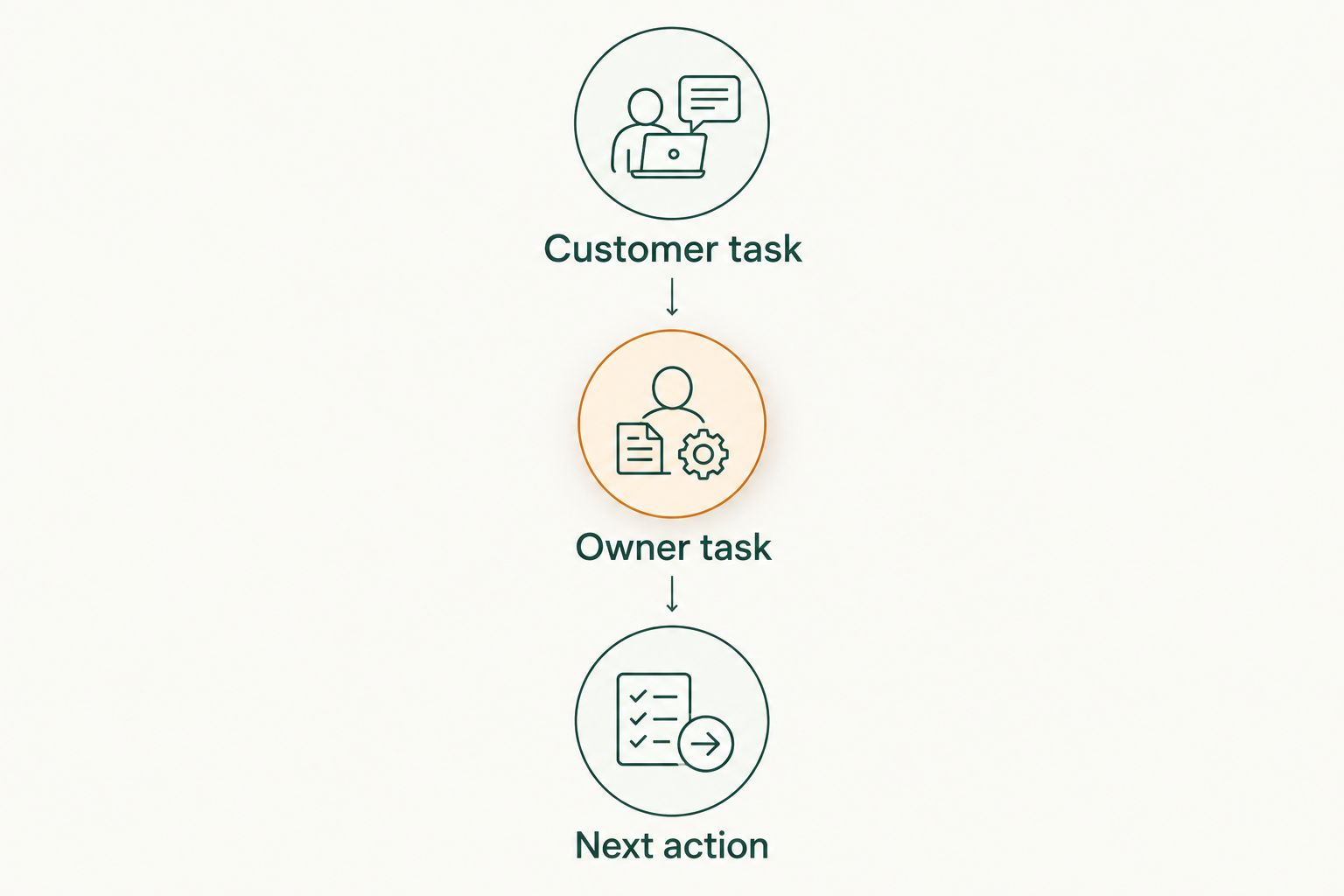
Customer task: Write down what the customer needs to accomplish. Finding directions, comparing reviews, and discovering a special are different tasks; choose the platform around the one you want to support.
Owner task: Decide what you will maintain. If you want to share events, assign someone to update them; if you want to manage reviews, assign someone to read and respond to them.
Next action: Decide what a useful listing should help a visitor do. That action might be contacting your business, planning a visit, or checking a current special.
Before expanding your 2026 directory presence, check these 4 fields wherever they apply: business name, address, phone number, and hours. Use the same underlying business details across your profiles, with location-specific information for each branch.
Then separate 2 tasks: correcting core business information and publishing promotional content. Fix the basics first. A useful special still leaves customers frustrated if the listing sends them to the wrong location.
Explore local business listings
Discover a directory built around local businesses, specials, and events.
When staying with MapQuest is the right call
Keep using MapQuest when it does the navigation job you need: finding a destination and planning a route. There is no reason to abandon a useful mapping service merely because another platform offers business-profile tools.
For a business owner, the decision is often additive rather than either-or. You can maintain useful destination information while choosing a separate channel for reviews, Google visibility, Apple Maps information, or local specials.
Stay with MapQuest for directions; add another platform for a clearly defined business-listing task. That is a more practical 2026 plan than moving every activity to one service and expecting it to do everything.
FAQ
What's the best MapQuest alternative for local business listings in 2026?
HometownFirst is the best fit in this comparison for independent businesses seeking local discovery, specials, and event listings. Google Business Profile is the fit for managing business information in Google Search and Maps.
Is Google Business Profile better than MapQuest for a business owner?
Google Business Profile is better suited to managing your business presence in Google Search and Maps. MapQuest serves a different task: finding places and planning routes.
Which MapQuest alternative should I use for customer reviews?
Yelp is the review-focused alternative in this comparison. Business owners can claim their pages, maintain details, and respond to customer reviews.
Can I list my business in Apple Maps?
Apple Business Connect provides tools for managing business place information in Apple Maps. Maintain that information separately from your profiles on other platforms.
Should I remove my MapQuest listing when I join another directory?
Joining another directory is not a reason by itself to remove a useful MapQuest presence. Keep accurate destination information and use the additional platform for the separate task it supports.
Which details should I check before adding more business listings?
Check your business name, address, phone number, and hours wherever those fields apply. Correcting the basics comes before adding specials, events, or other promotional content.
Does joining a local directory guarantee more customers?
A directory listing does not guarantee more customers. Choose a platform for its supported use case, keep the information current, and assess whether it produces useful customer inquiries or visits.
One last thing
Your next listing is not always your next task. Check the profiles you already maintain before opening another account. Correct an old phone number, remove an expired special, or update changed hours first; then add the platform that fills a specific gap.