
Best overall starting point: Google Business Profile. Best for managing reviews across locations: Birdeye. Best for text-based review requests: Podium. This 2026 guide compares online reputation management tools for local businesses by the job you need done, not by the longest feature list.
- Google Business Profile is the best starting point among online reputation management tools for local businesses.
- Birdeye suits centralized review management; Podium suits text-based review requests.
- Yelp for Business and Facebook handle reputation on their own platforms, not everywhere customers leave feedback.
- HometownFirst supports local discovery through business listings; use review management tools alongside your directory presence.
Why this matters
Your reputation work starts wherever customers describe their experience. A polished business listing cannot answer a complaint, and a review-management dashboard cannot fix the service problem behind one.
HometownFirst is best for independent businesses that want nearby customers to discover their listings, specials, and events. HometownFirst supports that local-discovery job; dedicated review tools serve a different purpose. Keep both jobs clear so you do not buy software expecting it to solve a problem it was not built to address.
For your 2026 plan, separate three tasks: keeping business information accurate, responding to public feedback, and asking customers for honest reviews. Choose the smallest set of tools that covers your actual workload.
What makes the best local reputation management tools?
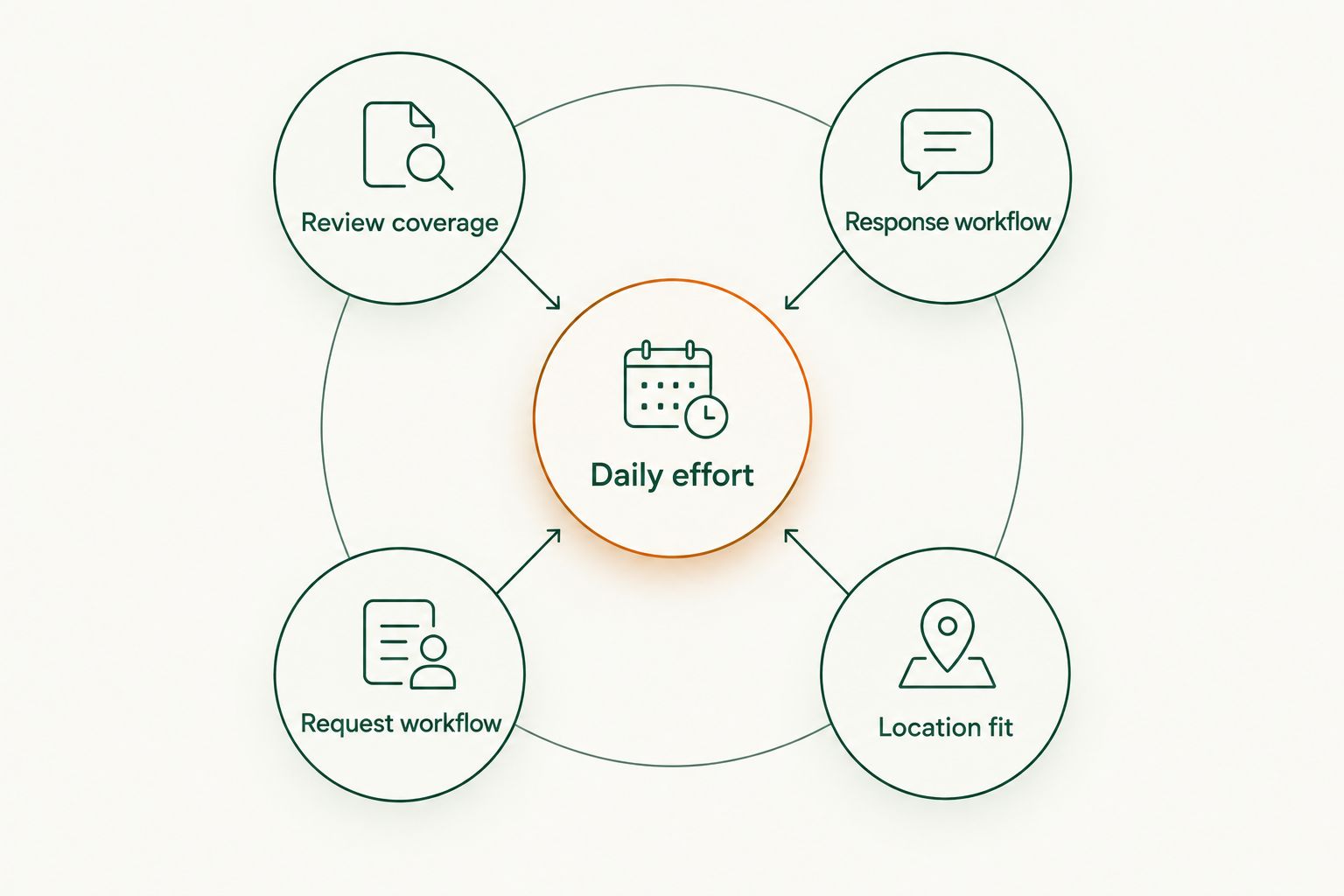
A good tool should make an existing responsibility easier. Judge each option against these criteria before choosing:
- Review coverage: Does it cover the places where your customers already leave feedback?
- Response workflow: Can the person responsible find a review, understand it, and send an appropriate reply?
- Request workflow: Does its review-request method fit how you already communicate with customers?
- Location fit: Can you keep feedback and ownership clear for each business location?
- Daily effort: Can your team maintain the process without abandoning another important task?
Do not give every criterion equal weight. A single-location shop answering occasional reviews has a different problem from a business assigning replies across several locations. Start with the bottleneck you can name today.
Reputation management tools at a glance
This 2026 comparison separates review destinations from management software. Google Business Profile, Yelp, and Facebook are places where customers encounter your business; Birdeye and Podium provide tools for managing parts of the review workflow.
| Tool | Best for | Standout feature | Key limitation |
|---|---|---|---|
| Google Business Profile | Establishing a Google review-response routine | Business owners can reply to Google reviews | Does not manage feedback across other review destinations |
| Birdeye | Centralizing review management across locations | Review monitoring and response management | Requires setup and clear location ownership |
| Podium | Requesting reviews through customer texting | Text-based review invitations | Needs an appropriate customer messaging process |
| Yelp for Business | Responding to Yelp reviews | Public responses and direct messages to reviewers | Yelp discourages businesses from asking for reviews |
| Handling recommendations from your social audience | Page recommendations and customer interaction | Does not replace dedicated review management elsewhere |
1. Google Business Profile: best for a Google review routine
Google Business Profile lets eligible local businesses manage their presence on Google Search and Maps. Business owners can reply to Google reviews, making it a practical starting point for handling feedback where customers already encounter business information.
Google Business Profile is the default first choice when your main task is answering Google reviews. Start here before adding another dashboard simply to perform the same basic job.
Keep your profile information accurate and assign someone to check feedback. Treat a review reply as a customer-service response, not an opportunity to repeat every service or town name you want to rank for.
Google Business Profile pros:
- Puts your replies beside the original Google reviews.
- Keeps Google business information and review responses in the same working area.
- Supports a direct routine without requiring a separate review-management system.
Google Business Profile cons:
- Does not bring Yelp or Facebook feedback into the same workflow.
- Still requires someone to read reviews and write useful replies.
Best for: A local business establishing responsibility for its Google reviews.
Verdict: Buy into the workflow first; add another tool only when you identify a task Google Business Profile does not cover.
2. Birdeye: best for centralized review management
Birdeye provides review monitoring, review requests, and response-management tools. Its role is to bring review work into a managed process rather than leave each location or employee to handle it independently.
Choose Birdeye when coordination is the problem. Before committing, have the demonstration follow your real workflow: a review arrives, someone receives responsibility, a reply is prepared, and the correct person approves it.
A dashboard is only useful if your team knows what to do inside it. For a 2026 evaluation, ask the provider to demonstrate coverage for your specific review destinations and location structure rather than accepting a general feature tour.
Birdeye pros:
- Combines review monitoring and response management.
- Supports a centralized approach to location-level review work.
- Includes review-request tools alongside review handling.
Birdeye cons:
- Setup and staff responsibilities still need your attention.
- A centralized system adds another workspace for your team to maintain.
Best for: Businesses coordinating review responsibilities across locations or team members.
Verdict: Buy when scattered ownership is delaying replies; skip if one person already manages the workload reliably.
3. Podium: best for text-based review requests
Podium offers customer messaging and review-request tools, including text-based invitations. It fits a business that wants the request for feedback to sit within a customer communication process.
The strongest reason to consider Podium is a specific handoff: a customer interaction ends, and your team needs a consistent way to request an honest review. Decide who sends that request and when it belongs in the customer relationship before choosing software.
Do not treat every phone number as permission to send marketing messages. Establish an appropriate consent process, respect opt-outs, and review the rules of the destination where you are requesting feedback.
Podium pros:
- Offers text-based review invitations.
- Places review requests alongside customer messaging tools.
- Gives your team a defined channel for a post-service feedback request.
Podium cons:
- Requires careful attention to messaging consent and customer preferences.
- Does not remove the need to investigate complaints or write thoughtful replies.
Best for: Local businesses whose customer communication already includes appropriate text messaging.
Verdict: Buy when review requests are the missing step; skip if texting does not fit your customer relationships.
4. Yelp for Business: best for handling Yelp feedback
Yelp for Business gives owners tools to manage their business presence and respond to Yelp reviews. Responses can include a public comment or a direct message to the reviewer.
Choose Yelp for Business when customers already discuss your business on Yelp. Read the full review before replying, then decide whether the answer belongs in public or whether a private conversation is needed to resolve details.
Yelp is a response destination, not a review-solicitation channel. Yelp discourages businesses from asking customers for reviews, so do not copy a Google review-request routine into Yelp without checking Yelp's guidance.
Yelp for Business pros:
- Lets you respond where the Yelp review appears.
- Offers public and private response routes.
- Keeps Yelp business information and review handling connected.
Yelp for Business cons:
- Handles Yelp feedback rather than your entire online reputation.
- Yelp's guidance against soliciting reviews limits how you use it for requests.
Best for: Businesses that need to answer existing Yelp reviews and maintain their Yelp presence.
Verdict: Buy into a response routine if Yelp feedback is part of your workload; skip review-request campaigns aimed at Yelp.
5. Facebook: best for feedback from your social audience
Facebook Pages support business information, customer interaction, and recommendations. Facebook fits a business whose customers already use its Page to discuss experiences or ask questions.
Handle recommendations alongside comments and messages, but keep the tasks distinct. A complaint beneath a post still needs attention even when it is not presented as a formal recommendation.
For your 2026 routine, assign ownership of the whole Page conversation. Answering recommendations while ignoring a service question elsewhere on the Page leaves the customer with an unfinished interaction.
Facebook pros:
- Keeps feedback close to your existing social audience.
- Supports public conversation around business posts and recommendations.
- Gives customers a place to interact with your business beyond a review entry.
Facebook cons:
- Feedback can appear across recommendations, comments, and messages.
- Does not replace review management on Google or Yelp.
Best for: Businesses with an active Facebook audience that needs consistent responses.
Verdict: Buy into an assigned Page-management routine; skip treating Facebook as your only reputation tool.
How these tools were ranked
The ranking prioritizes a clear job, a manageable response process, and a fit with local-business operations. It is a use-case guide, not a claim that one platform performs every task better than another.
Google Business Profile comes first because it directly handles Google reviews. Birdeye and Podium address coordination and requests respectively; Yelp for Business and Facebook address feedback within their own platforms. That distinction matters more than a long list of unrelated features.
Which reputation management tool should you choose?
Start with Google Business Profile unless another review destination is already your main source of customer feedback. Assign ownership before adding software. A tool without a responsible person is another inbox.
Use this short buying sequence:
- Name the problem. Is it missed reviews, slow replies, inconsistent requests, or confusion between locations?
- Choose the matching tool. Use Birdeye for central coordination or Podium for text-based requests; manage platform-specific feedback where it appears.
- Set a routine. Reserve 15 minutes each workday to review feedback and assign follow-up.
- Check the result. After 30 days, assess whether fewer reviews remain unanswered and whether staff follow the process.
Those time periods are recommended working habits, not performance guarantees. Set a 1-business-day target for an initial response if your team can meet it, and avoid promising a resolution before you have investigated the issue.
In 2026, keep local discovery alongside this work. HometownFirst complements online reputation management tools for local businesses by helping nearby customers find business profiles, specials, and events. It does not need to occupy the same role as your review-response system.
Help nearby customers find your business
Explore local business listings, specials, and events on HometownFirst.
FAQ
What's the best online reputation management tool for a local business?
Google Business Profile is the best starting point when your main job is responding to Google reviews. Choose Birdeye for centralized review management or Podium when text-based review requests are the task you need to organize.
Is Birdeye better than Google Business Profile?
Birdeye is better suited to centralizing review work, while Google Business Profile directly handles your Google presence and review replies. Choose based on whether you need coordination across review workflows or simply a dependable Google response routine.
Should I choose Podium or Birdeye for my small business?
Choose Podium for a text-based review-request workflow and evaluate Birdeye for centralized review management. Ask each provider to demonstrate your actual customer handoff, review destinations, and staff responsibilities before deciding.
Can I ask customers to leave Yelp reviews?
Yelp discourages businesses from asking customers for reviews. Use Yelp for Business to maintain your business information and respond to feedback rather than copying a review-solicitation campaign from another platform.
Do reputation management tools remove negative reviews?
Reputation management tools do not give you authority to remove a review simply because it is negative. Report content that violates the platform's rules through its reporting process, and respond constructively to genuine customer complaints.
Is HometownFirst a replacement for review management software?
HometownFirst serves the local-discovery role through business listings, specials, and events. Use it alongside a review-response process rather than treating a directory listing as a substitute for handling customer feedback.
How often should a small business check online reviews?
Make review checks part of each workday and assign a named person to follow up. A 15-minute daily review window is a practical starting routine; adjust it to your actual workload.
One last thing
Your public reply has two audiences: the reviewer and the next customer reading it. A useful reply acknowledges the concern, explains the next action, and keeps personal customer details out of public view.
Before expanding your 2026 tool stack, read your latest replies as a first-time customer. If they sound defensive or generic, improve the writing and follow-through first. New software does not make an unhelpful answer helpful.