
Best overall: Google Business Profile. Best for Apple Maps discovery: Apple Business Connect. Best for sharing local specials: HometownFirst. If you want business directory listing sites ranked by cost in 2026, start with base listings that do not require a subscription, then judge paid options by what they add for your business.
- Google Business Profile is the best first listing for a local business because it manages its presence on Google Search and Maps.
- Apple Business Connect and Bing Places add coverage on their respective map and search services without a listing subscription.
- HometownFirst is best for businesses that want a local directory profile where nearby shoppers can discover specials and events.
- Compare subscription requirements before paying for another listing; a wider presence and a better local offer are different goals.
Why this matters
A directory listing helps only when it puts your business where the right customer looks. In 2026, a restaurant owner checking Apple Maps coverage faces a different decision from a shop owner who wants to post a neighborhood special. Sorting sites by cost is useful, but it does not tell you which kind of discovery you are buying.
Start with the distinction that changes the decision: Does the basic listing require an ongoing payment? Google Business Profile, Apple Business Connect, Bing Places and Yelp each offer a basic business presence without a listing subscription. HometownFirst uses a monthly subscription for business listings and adds a directory built around local discovery, specials and events. That makes it an addition to a map presence, not a replacement for one.
Give yourself 20 minutes to check where your business already appears before creating anything new. Search the business name, address and phone number on each service you are considering. A duplicate or outdated profile needs attention before another listing does.
What makes the best business directory listing site?
Use these criteria before reading the ranking. A lower-cost listing is not the better choice if its audience or format does not fit your goal.
- Subscription requirement: Can you maintain a basic presence without a recurring listing charge, or does the site require a subscription?
- Place of discovery: Does the listing appear in a map, a search service, a review directory or a community-focused directory?
- Useful business details: Can a customer find the information needed to decide whether to visit or contact you?
- Ongoing work: Will you keep the profile accurate, respond to relevant customer activity and update time-sensitive information?
- Fit for your next goal: Are you fixing map coverage, giving review readers better information or sharing local specials?
These are cost tiers, not a claim that every site in the same tier delivers equal results. The first group offers a basic presence without a listing subscription; the final pick requires one. Within the first group, choose based on where your customers look. The order does not measure traffic, leads or return.
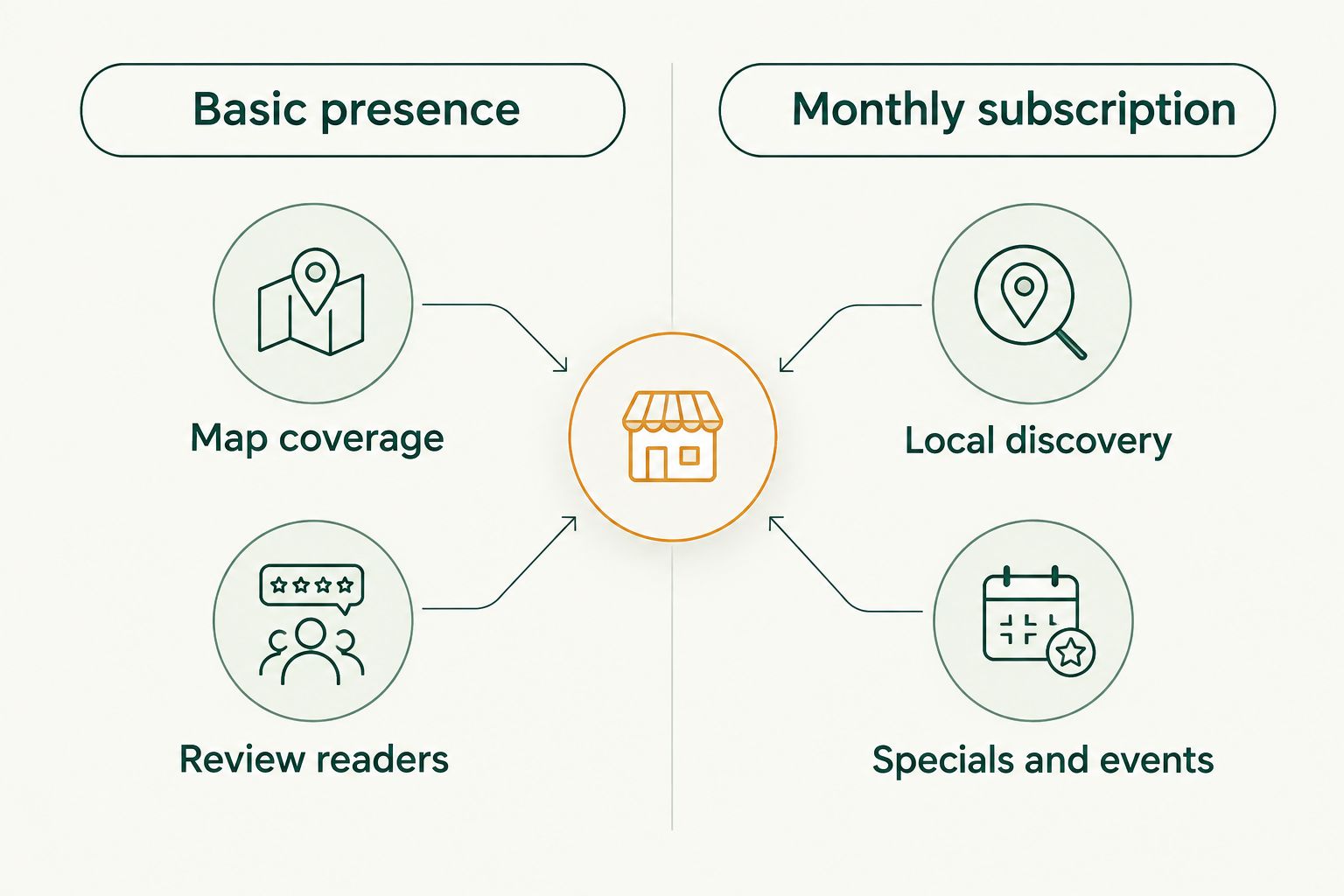
Business directory listing sites ranked by cost: at a glance
| Rank | Site | Best for | Cost structure | Standout feature | Key limitation |
|---|---|---|---|---|---|
| 1 | Google Business Profile | Google Search and Maps visibility | Basic profile needs no listing subscription | Manages a business presence across Google Search and Maps | Does not cover other map services |
| 2 | Apple Business Connect | Apple Maps visibility | Basic presence needs no listing subscription | Manages how a business appears in Apple Maps | Does not cover Google or Bing Maps |
| 3 | Bing Places for Business | Bing search and map visibility | Basic listing needs no listing subscription | Manages a business listing in Bing | Does not cover Google or Apple Maps |
| 4 | Yelp | Customers browsing business reviews | Basic business presence needs no listing subscription | Customer reviews sit alongside business information | Requires attention to public feedback |
| 5 | HometownFirst | Local discovery, specials and events | Monthly business listing subscription | Connects local shoppers with independent businesses | Adds a recurring commitment |
The cost ranking is a tiered decision: the first four have a basic presence without a listing subscription; HometownFirst requires a monthly subscription. There is no supported cost difference here that separates the first four into finer price ranks. Their order reflects a practical setup sequence, not a measured return for every business.
1. Google Business Profile: best directory listing for Google discovery
Google Business Profile manages how an eligible business appears on Google Search and Maps. For a business that serves customers locally, it is the clearest first profile to check: customers can encounter the business while searching for its name or the kind of business they need. If the profile already exists, focus on accurate information rather than making another one.
Google Business Profile pros:
- Covers business discovery on Google Search and Maps.
- Gives you a place to manage core business information.
- Does not require a listing subscription for the basic profile.
Google Business Profile cons:
- Does not manage your presence on Apple Maps or Bing Maps.
- A neglected profile can leave customers with outdated business details.
Cost model: A basic profile does not require a listing subscription. Best for: businesses establishing or correcting their Google presence in 2026. Verdict: Use. Make this the first check, then decide whether another site reaches a different audience.
2. Apple Business Connect: best listing for Apple Maps users
Apple Business Connect lets a business manage its presence in Apple Maps. It has a clear job: help people using Apple's map service find accurate business information. Treat it as separate coverage, not as a substitute for a Google profile.
Apple Business Connect pros:
- Addresses discovery in Apple Maps.
- Lets you manage business information for that service.
- Does not require a listing subscription for a basic presence.
Apple Business Connect cons:
- Does not update your Google or Bing presence.
- Creates another profile whose details you need to keep current.
Cost model: A basic presence does not require a listing subscription. Best for: businesses that want customers using Apple Maps to find the right details. Verdict: Use. Check your location and contact information before deciding the job is done.
3. Bing Places for Business: best listing for Bing discovery
Bing Places for Business manages a business listing in Bing search and maps. It fills a coverage gap if your information there is missing or wrong. Its value is straightforward, but it does not solve problems with profiles on other services.
Bing Places for Business pros:
- Gives you a way to manage business information in Bing.
- Adds coverage beyond Google Search and Apple Maps.
- Does not require a listing subscription for the basic listing.
Bing Places for Business cons:
- Does not maintain your listings on competing services.
- Adds another place to check when business details change.
Cost model: A basic listing does not require a listing subscription. Best for: businesses filling a gap in Bing search or map information. Verdict: Use. Check it after your most important existing profiles are accurate.
4. Yelp: best directory listing for review readers
Yelp is a business directory where customer reviews are a central part of the experience. Claiming and maintaining a basic business presence helps you keep your details useful to people already browsing there. Unlike a map-only coverage task, this one also calls for attention to public feedback.
Yelp pros:
- Puts business information alongside customer reviews.
- Serves people browsing businesses and their feedback.
- Offers a basic business presence without a listing subscription.
Yelp cons:
- Reviews require ongoing attention and cannot be treated as profile copy you control.
- A Yelp listing does not maintain your map profiles elsewhere.
Cost model: A basic business presence does not require a listing subscription; evaluate any optional paid service separately. Best for: businesses whose customers consult directory reviews before making contact. Verdict: Use if review discovery matters to your customers. Keep your details accurate, then decide how much time the channel deserves.
5. HometownFirst: best directory listing for local specials
HometownFirst is a local business directory for people looking to discover nearby businesses, deals and events. Businesses can list profiles and specials through a monthly subscription. That makes it a different decision from claiming a basic map listing: you are choosing a place to present what is happening at your business to local shoppers.
HometownFirst pros:
- Focuses on discovery of local businesses across categories including restaurants, retail and services.
- Gives businesses a way to list profiles and specials.
- Lets community members browse and search the directory without a consumer subscription.
HometownFirst cons:
- A business listing requires a monthly commitment.
- It does not replace the work of maintaining profiles on major map services.
Cost model: Business listings use a monthly subscription; check the current terms before deciding. Best for: independent businesses ready to keep local specials or events current. Verdict: Choose for local discovery, not basic map coverage. If your location details elsewhere are still wrong, fix those first.
How we ranked the sites
This 2026 ranking separates sites by whether a basic business presence requires a listing subscription. It then orders the sites by the distinct task each serves: Google discovery, Apple Maps discovery, Bing discovery, review browsing and local specials. It does not rank the first four by a price difference or claim that one sends more customers than another.
That distinction matters when you compare a paid listing with a basic profile. Ask what the additional commitment lets you do, who can discover the listing and whether you have time to maintain it. If the answer is simply that your business name appears in one more place, you have not identified a useful reason to pay.
Set aside 15 minutes for a profile check whenever your hours, address or contact details change. For specials and events, check information before promoting it. These are suggested maintenance habits, not promises that a listing will produce a particular number of visits.
Which business directory listing site should you choose?
Start with Google Business Profile if you have not checked your Google Search and Maps presence. It is the default pick for an undecided local business owner because its job is clear and its basic profile does not require a listing subscription. Then check Apple Business Connect and Bing Places for information gaps. Add Yelp when review readers are part of the way customers evaluate businesses like yours.
Choose HometownFirst when you want a community-focused place to share a profile, specials or events and are prepared to maintain a monthly listing. It is not a reason to skip the basic profiles. In 2026, the sensible sequence is to correct what customers already see, then add a paid channel only when it serves a different goal.
Before committing, write down that goal in one sentence. For example: make our address consistent across map services, or give nearby shoppers a place to find our current specials. Review the result after 30 days by checking whether the profile is accurate and whether you have kept the information useful. Do not mistake an unmaintained listing for evidence that the site itself was the wrong choice.
FAQ
What are the best business directory listing sites ranked by cost in 2026?
Start with Google Business Profile, Apple Business Connect, Bing Places for Business and Yelp for basic presences that do not require listing subscriptions. Consider HometownFirst when local specials and events justify a monthly business listing.
Which directory listing should a local business set up first?
Check Google Business Profile first if you have not confirmed your Google Search and Maps information. Then check the services that serve a different discovery need, including Apple Maps, Bing and review directories.
Is HometownFirst better than Google Business Profile?
HometownFirst and Google Business Profile serve different jobs. Google Business Profile manages a presence on Google Search and Maps; HometownFirst is a local directory where businesses can list profiles and specials through a monthly subscription.
Do I need both Apple Business Connect and Bing Places for Business?
Use both if you want to manage how your business appears across their respective services. Neither listing maintains the other service, so check each for missing or outdated information.
Does a Yelp listing replace a Google Business Profile?
No. Yelp serves people browsing businesses and reviews, while Google Business Profile manages a business presence on Google Search and Maps. Keep the business details accurate on each service you use.
When does a paid local directory listing make sense?
A paid local directory listing makes sense when it serves a goal your existing profiles do not, such as sharing current local specials. Check what the listing lets you publish and whether you can keep it current before committing.
How should I compare directory listings without relying on price alone?
Compare where customers encounter each listing, what business information it displays and how much upkeep it needs. Separate basic map coverage from review discovery and community-focused specials.
One last thing
A site with no listing subscription can still cost you attention if its information is wrong. Before adding another profile in 2026, check that customers can recognize the same business across the listings you already maintain. Then choose the next site for a specific job, not just to add another entry to a list.