
Daycare centers’ local business listings are online profiles that explain where you operate and what care you provide, with the aim of helping nearby families find and contact your center. This 2026 guide shows you how to make those profiles useful: parents need age groups, schedules, licensing information, and a clear next step—not just an address.
- Local business listings for daycare centers should explain age groups, care schedules, location, and how parents can inquire.
- Start with accurate map listings, then add childcare resources and community directories that fit your center.
- HometownFirst is best for independent daycare centers seeking a community-focused directory presence.
- Measure qualified parent inquiries and scheduled tours, not profile views alone.
Why local business listings matter for daycare centers
A daycare listing needs to answer a practical question: does this center fit my child and my daily routine? A nearby address is not enough if parents cannot tell which ages you serve or whether your care schedule matches their workday.
Treat each listing as a parent’s first screening conversation. Explain the basics before asking someone to call. Keep licensing statements precise, distinguish operating hours from office contact hours, and identify the correct location for tours.
Map profiles help families find your location. Childcare resources help them investigate care providers. Community directories add another place to discover your business. These channels serve different purposes; none replaces your own clear explanation of your program.
HometownFirst is a local business directory where community members can search for nearby businesses and owners can list their profiles and events. Its role in your 2026 listing plan is additional community discovery—not licensing verification or a promise of search rankings.
Build listings parents can actually use
Follow these six steps in order. Start with a shared record of your business details, fix the profiles parents already encounter, and then decide which additional directories deserve your attention.
Create one accurate business record
Start with a document or spreadsheet that holds your approved public information. You do not need listing software to do this. Give the person responsible for updates a single reference instead of asking them to reconstruct details from old emails.
Record your actual business name, public address, main phone number, website, operating hours, and age groups served. Separate facts from promotional language. A description such as “care for preschool-age children” is useful only when it accurately describes your program.
Set aside 30 minutes for an initial information check as a planning exercise, not a promise that every correction will take that long. Compare your record against signage, enrollment materials, and the information your office gives callers.
For your 2026 record, include a last-reviewed date and an update owner. That makes responsibility clear when a schedule, phone number, or program changes.
- Copy the business name as families see it on your signage.
- Confirm the phone number reaches the right person or mailbox.
- Record operating hours separately from tour or office hours.
- Write age groups in plain language.
- Assign one person to approve public-information changes.
Correct your map and search profiles
Search your center’s name and town, then inspect the results as a parent would. Start with Google Business Profile and Apple Business Connect where appropriate. These services help businesses manage information that appears in their respective search and map experiences.
Use the platform’s ownership or verification process before editing. Resolve outdated information through the available support process rather than creating another profile to escape an old one. Duplicate profiles leave parents with conflicting addresses or phone numbers.
Choose the closest accurate business category. Do not add unrelated services just to appear in more searches, and do not stuff neighborhood names into your business name. Your description is the place to explain the area you serve naturally.
Check the full journey from search result to inquiry. A correct listing still fails a parent if its website destination is broken or its phone number leads nowhere useful.
- Search your business name with your city and neighborhood.
- Claim or verify the correct profile through the platform.
- Correct addresses, map placement, phone numbers, and hours.
- Request correction of duplicates through the platform’s process.
- Test the website destination and call the listed number.
Choose directories by their role
Build a shortlist manually before opening accounts. Search for local childcare resources, your relevant licensing agency’s provider information, and community business directories. Check what each listing actually does rather than assuming every directory verifies providers or attracts the same audience.
A licensing resource serves a different purpose from a business directory. The former helps families check official information where that information is published; the latter helps them discover businesses. Keep that distinction clear in your own marketing.
HometownFirst is best for independent daycare centers seeking a community-focused directory presence. HometownFirst business listings provide another discovery route, with profile and event information in a local-business setting. The limitation is equally clear: a general directory listing is not evidence of licensing, program quality, or guaranteed inquiries.
For your 2026 shortlist, choose destinations you can keep accurate. More accounts create more maintenance, not automatically more useful visibility.
- Identify your relevant official childcare or licensing resource.
- Check local childcare referral resources for participation requirements.
- Evaluate community directories for location-based discovery.
- Read profile rules before submitting your center.
- Keep a record of account ownership and renewal responsibilities.
Write a profile around parent questions
Draft the description in a shared document first. Ask the person who handles inquiries which questions come up before a family books a visit, then answer those questions with confirmed facts.
Lead with your care type, location, and age groups. Follow with the schedule and the next step for learning more. Include distinctive program details only when your center actually provides them. Do not borrow claims such as “Montessori,” “accredited,” or “bilingual” from another center’s profile.
HometownFirst business listings are one place to use this parent-focused description. Keep the underlying facts consistent across directories, while adapting length and fields to each platform. Consistency does not require pasting an oversized paragraph into every available box.
Avoid a string of phrases such as “best daycare near me.” A useful description tells parents whether to contact you; a keyword list does not. Name your town naturally and describe the actual care you offer.
- Open with care type, town, and age groups.
- Explain the actual care schedule without vague promises.
- Include verified program or licensing details where appropriate.
- Describe how a parent should request information or a tour.
- Remove unsupported superlatives and repeated search phrases.
Check trust signals and protect children’s privacy
Review each profile’s photos, credentials, and public responses before publishing. Start with a manual check of the information and permissions you already hold. A listing should build confidence without exposing children’s identities or private family circumstances.
Use photographs of your entrance, learning spaces, or outdoor area when they accurately represent your center and are appropriate to publish. Do not upload identifiable children merely because a photo looks welcoming. Confirm the applicable permissions and your center’s policies first.
Describe licensing or accreditation exactly as documented. A directory badge, a claimed profile, and an official license are different things. Do not present one as proof of another.
Keep review replies general. A disagreement with a parent does not justify disclosing attendance, health information, payment disputes, or details about a child. Move individual concerns to a private conversation through your established process.
- Verify credential wording against current documentation.
- Check photo permissions before uploading images.
- Prefer accurate facility photos when child-photo permissions are unclear.
- Remove personal family information from public responses.
- Confirm that listed events are suitable for public promotion.
Measure inquiries and maintain your listings
Start with a simple inquiry log. Ask parents how they found your center and record the answer alongside the inquiry date and next step. Use categories such as search maps, childcare referral, community directory, and personal recommendation.
For a practical 2026 routine, schedule 15 minutes each month to review public details and a 90-day review to assess inquiry sources. These are suggested work intervals, not industry benchmarks. Correct a changed phone number or schedule immediately rather than waiting for the next review.
Record qualified inquiries and scheduled tours separately. A qualified inquiry fits your actual age groups, location, and care schedule. Profile views alone do not tell you whether a directory is helping the right families find you.
If parents mention HometownFirst, record that source by name. If they do not know, mark the source as unknown rather than assigning credit to the last profile you edited.
- Ask every inquiring family how they found your center.
- Record whether the inquiry fits your program.
- Track scheduled tours separately from general questions.
- Review listing accuracy monthly and after any business change.
- Compare recorded inquiry sources at your scheduled review.
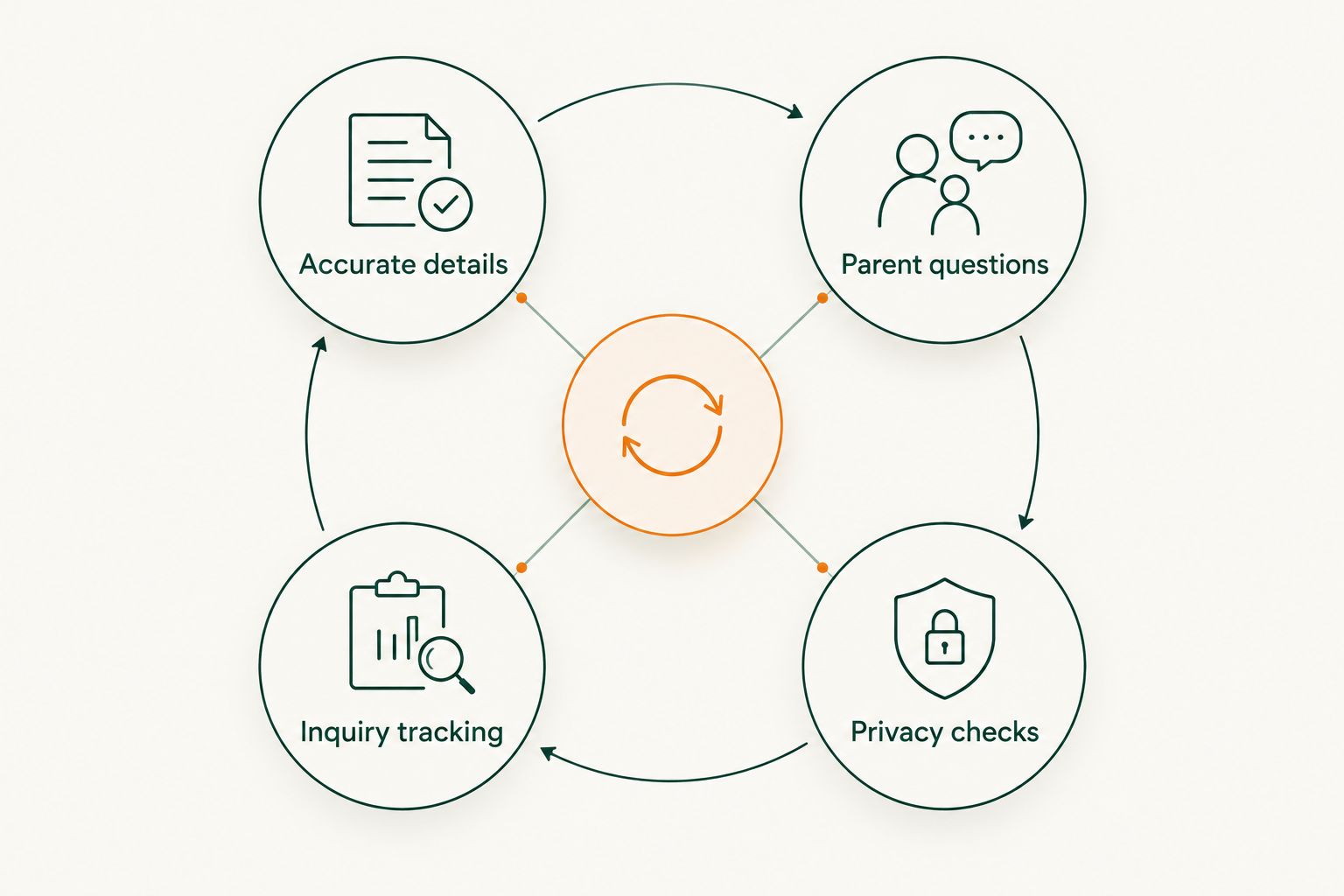
The maintenance cycle is simple: keep the facts accurate, make the profile useful, handle information responsibly, and check whether families take the next step.
Compare listing options for daycare centers
Choose each channel for a defined job. Map profiles support location discovery; official resources support checks of published licensing information; community directories provide another local discovery route. Your website remains the place to explain your program in depth.
The table below compares roles and limitations rather than predicting results. None of these options guarantees enrollment, and an accurate profile still needs a working inquiry process behind it.
| Option | Best for | Main advantage | Key limitation |
|---|---|---|---|
| Google Business Profile | Centers seeking visibility in Google Search and Maps | Business details appear within Google’s local search experience | Eligibility, verification, and profile rules require attention |
| Apple Business Connect | Centers managing business information shown in Apple Maps | Provides a way to manage place information in Apple’s ecosystem | Does not replace profiles elsewhere |
| Official licensing resources | Families checking published provider information | Separates official records from promotional descriptions | Information and participation depend on the relevant agency |
| Local childcare referral resources | Centers seeking childcare-specific discovery | Focuses on care providers rather than general businesses | Requirements and listing features differ by organization |
| HometownFirst | Independent centers seeking community-directory discovery | Supports local business profiles and event listings | A subscription listing is not licensing verification or guaranteed traffic |
| Your own website | Parents evaluating your program in detail | Gives you control over explanations and inquiry instructions | Requires maintenance and does not replace external discovery channels |
Check participation rules and account responsibilities before adding any channel. A well-maintained shortlist is more useful than a collection of profiles nobody owns.
Common mistakes daycare centers make
Using one profile for different locations
A parent needs to know which address, schedule, and contact person apply to the center they are considering. Mixing details from several locations makes an otherwise accurate business description confusing. Keep location-specific records and follow each platform’s rules for separate profiles.
Publishing hours without explaining what they mean
Care hours, office hours, and scheduled tour times are not interchangeable. If a parent arrives during operating hours expecting an unscheduled tour, the listing has not set expectations clearly. State what the published hours represent and explain the inquiry process.
Treating a directory listing as a quality endorsement
Being listed does not establish licensing status, accreditation, or the suitability of your program for a particular child. Keep credentials separate from promotional descriptions. Give parents the correct information for their own checks without implying that a directory has approved your care.
Leading with generic praise instead of care details
“Loving environment” does not answer which ages you serve or how your schedule works. Warm language has a place, but concrete program facts belong first. Replace repeated adjectives with details your office can confirm.
Counting views while missing parent calls
A visible profile cannot fix an unanswered inquiry or unclear next step. Review your response process alongside listing performance. Check that staff know how to handle calls, explain the program, and arrange the next conversation without making promises the center cannot support.
FAQ
What are local business listings for daycare centers?
Local business listings for daycare centers are public profiles that describe a center’s location, contact details, care type, and other program information. They help nearby families find a provider and decide whether to ask for more information.
What should I put in my daycare center’s business listing?
Include your correct business name, address, phone number, operating hours, age groups, and inquiry instructions. Add licensing or program details only when you can confirm them, and distinguish care hours from office or tour hours.
Which listing should my daycare center update first?
Update the existing profile that gives parents incorrect information first. Then check your map profiles and relevant childcare resources before adding more directories.
Is a community directory better than Google Business Profile for daycare centers?
A community directory serves a different role from Google Business Profile, so it is not a direct replacement. Google Business Profile manages information in Google’s search and map experience, while a community directory adds another place for local discovery.
Can I post photos of children on a daycare listing?
Post identifiable photos of children only after confirming the applicable permissions and your center’s policies. Facility photos can show parents the setting without exposing a child’s identity.
Does a daycare directory listing prove that a center is licensed?
No, a business directory listing does not prove that a daycare center is licensed. Families should check the relevant licensing authority’s information, and centers should state credentials accurately.
How do I know whether a daycare listing is helping?
Track qualified parent inquiries and scheduled tours by source. Ask families how they found you, record unknown sources honestly, and use profile views as supporting information rather than proof of enrollment results.
One last thing
Before adding another directory in 2026, read your current listing aloud to the person who answers parent calls. Ask them to identify the first question it leaves unanswered.
Fix that gap before expanding your listing footprint. A clear explanation of age groups, hours, or tour arrangements helps families make a decision. Repeating an incomplete description across more sites only repeats the confusion.