
Law firm local business listings are public profiles that identify your practice, office, and services so nearby people can find and contact the right legal help. This guide covers local business listings for law firms in 2026, where accuracy, confidentiality, and a clear intake process matter more than a long list of directory placements.
- Local business listings for law firms need accurate office details, clear practice areas, and a dependable intake contact.
- HometownFirst suits independent law firms seeking community-focused directory visibility alongside map and legal-directory profiles.
- Build one master record before updating local citations; keep attorney credentials separate from promotional claims.
- Measure suitable inquiries, not just profile views, and protect client confidentiality when handling reviews.
Why local business listings matter for law firms
Someone looking for legal help needs more than a business name. They need to know whether you handle their issue, serve their location, and offer a practical way to begin a conversation. Your listing should answer those questions before they call.
Unlike a restaurant profile, a law firm listing must distinguish office hours from consultation arrangements, attorneys from support staff, and practice areas from promised outcomes. A general directory also serves a different purpose from an attorney credential directory.
HometownFirst is best suited to independent law firms seeking community-focused local business listings. HometownFirst helps people discover local businesses by location; it complements, rather than replaces, your firm's website and attorney-specific profiles.
For your 2026 listing plan, prioritize accuracy and suitability over directory count. A correct profile that sends callers to the right intake contact is more useful than another placement you cannot maintain.
How to build and maintain your law firm's listings
1. Create your master business record
Start with a shared document or spreadsheet. Create 1 master record that your office uses whenever someone opens, claims, or updates a listing. You do not need listing-management software to establish a dependable source of information.
Separate public information from internal intake notes. The public record should explain the firm without exposing client information, private staff numbers, or details about active matters. Assign a person to approve changes so different employees do not publish conflicting descriptions.
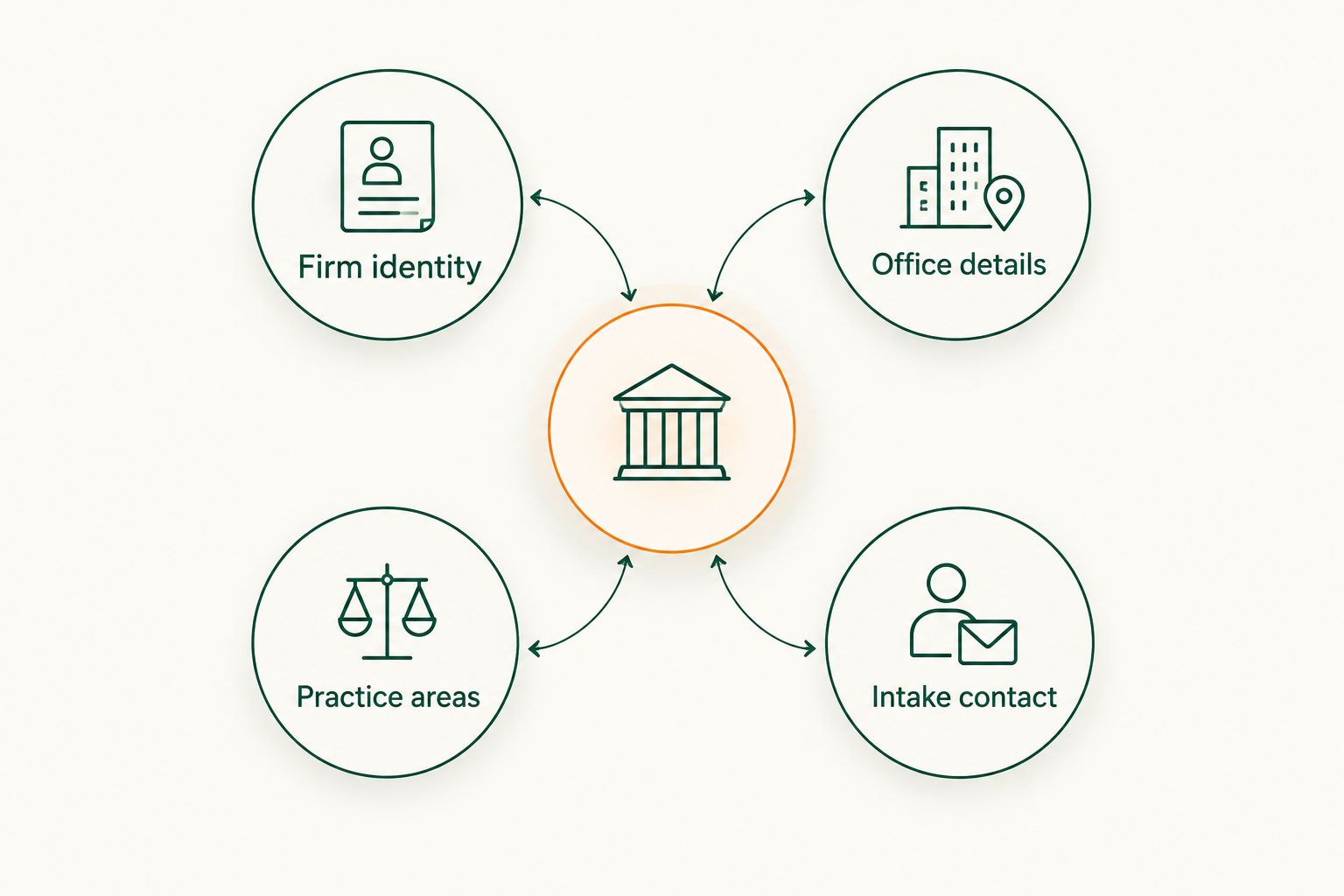
Organize the record around these fields:
- Firm identity: Use the accurate public-facing firm name without adding search phrases.
- Office details: Record the address, suite, public hours, and appointment instructions.
- Practice areas: List services the firm actually provides in plain language.
- Intake contact: Identify the public phone number and appropriate website destination.
- Attorney credentials: Record current, verifiable credentials for attorney-specific profiles.
2. Correct your existing profiles before adding more
Search for your firm name, attorney names, phone number, and office address. Review the public results manually, including profiles created before an office move or a firm-name change. Save each profile's location and access details in your internal spreadsheet.
Claim or correct existing profiles before creating replacements. Follow each platform's process for duplicates, ownership, and address eligibility. For Google Business Profile, check the current eligibility rules before listing an appointment-only location or an office you do not staff.
Your 2026 cleanup should focus on information that changes a prospective client's next action:
- Correct old phone numbers and addresses.
- Remove departed attorneys from descriptions where appropriate.
- Update office hours and consultation instructions separately.
- Document duplicate profiles and request corrections through the platform.
- Confirm that the person responsible for listings can access each account.
3. Choose directories by the job they perform
Build a shortlist manually and inspect each directory as a prospective client would. Search by location and legal need, read the profile fields, and check whether you can describe your practice accurately. Do not buy a placement simply because it accepts business submissions.
Use map profiles for location discovery, legal directories for attorney-focused information, and community directories for broader local discovery. HometownFirst gives independent businesses a subscription listing platform with profiles, specials, and events. For a law firm, use only the features that fit its services and applicable advertising rules.
A platform can simplify publishing, but it cannot decide whether your legal claims are accurate. Keep that responsibility inside the firm.
- Match each directory to a clear discovery purpose.
- Check whether the available categories fit your actual practice.
- Confirm that you can update the listing when details change.
- Review subscription terms before committing.
- Avoid promotional features that do not suit legal services.
4. Write descriptions that help people self-select
Draft the description in a document first. State the firm's location, actual practice areas, and how to contact intake. Explain legal terms when a prospective client needs that explanation to recognize whether your service fits their problem.
Do not turn every listing into a list of city names. A person seeking an estate-planning attorney needs to understand what you do, not read the same location phrase repeatedly. Distinguish where your office is located from where your attorneys are authorized to practice.
Describe the service, not the result you hope to achieve. Avoid guarantees and unsupported labels such as best or leading. Have the responsible attorney review descriptions under the applicable professional rules.
- Open with your location and primary practice focus.
- Name only services the firm currently provides.
- Explain the next step without promising acceptance of a matter.
- Verify any certification or specialization claim before publishing.
- Keep website and directory descriptions factually consistent.
5. Connect each profile to a working intake route
Open the listing on your phone and follow the contact path yourself. Call the public number, inspect the linked page, and test the form without entering confidential matter details. This manual check reveals whether the profile leads to the intended office.
Use a contact route that explains what happens next. A directory description should not imply that submitting a form establishes an attorney-client relationship. Review forms and notices with the attorney responsible for intake, including how the firm handles information from prospective clients.
When reviewing contacts, ask whether someone reached the right practice area and office. A working phone number is not enough if every caller must explain their issue repeatedly to find the correct team.
- Test the public phone number during stated hours.
- Check the linked page on a mobile device.
- Confirm that form submissions reach the intended staff member.
- Explain appointment requirements accurately.
- Keep sensitive case details out of public profile fields.
6. Handle reviews without exposing client information
Read existing reviews manually and decide who is authorized to respond. Legal services require a different approach from retail: a public complaint does not give the firm permission to disclose confidential information or discuss a matter's history.
Use a response policy reviewed under the professional rules that apply to your practice. Keep public replies general, avoid confirming a representation, and direct concerns to an appropriate private contact. Follow the review platform's rules when requesting reviews or reporting inappropriate content.
The goal is not to win a public argument. It is to maintain a professional profile without turning client matters into public evidence.
- Assign review-response responsibility to a named staff role.
- Obtain attorney approval for responses that raise confidentiality concerns.
- Do not publish case facts to rebut criticism.
- Follow platform rules for review requests and incentives.
- Report prohibited content through the platform's reporting process.
7. Measure suitable inquiries and schedule updates
Start with a spreadsheet and an intake question rather than a new reporting subscription. Record where an inquiry came from when the person knows, whether the matter fits your services, and which office received it. Keep case details out of the marketing log.
Use 3 intake questions: How did you find the firm? Which service are you seeking? Which location do you need? Treat these as an attribution aid, not proof that every inquiry came from a single listing.
Set a 30-day review for your 2026 listing program, plus immediate checks after an office move, staffing change, or contact change. Review profile information and inquiry quality together before renewing a directory subscription.
- Record reported referral sources without collecting unnecessary sensitive details.
- Separate suitable inquiries from unrelated calls.
- Review directory activity alongside intake records.
- Correct changed information immediately.
- Retain placements that serve a clear purpose and reassess the rest.
Compare listing options for law firms
Choose an option by its role, not by how many features it advertises. The strongest mix gives prospective clients accurate location information, relevant attorney details, and a clear next step. No directory replaces the firm's responsibility to keep those facts current.
Use this comparison for your 2026 shortlist:
| Option | Best for | Main advantage | Key limitation |
|---|---|---|---|
| Google Business Profile | Eligible firms seeking discovery through Google Search and Maps | Presents business and location information where people search | Requires eligibility checks, verification, and ongoing maintenance; placement is not guaranteed |
| Legal-specific directories | Firms needing attorney-focused profiles | Organizes information around legal practice and attorney details | Categories, profile controls, and commercial terms differ by directory |
| Bar association directories | People checking membership or credential information where available | Offers a professional-association reference point | Directory access and available fields vary; it is not a substitute for an intake page |
| HometownFirst | Independent firms seeking community-focused discovery | Lists local businesses by location and supports business profiles and events | Uses subscription listings and is not an attorney credential-verification service |
Choose the combination you can maintain accurately. A map profile and a legal directory answer different questions; adding a community directory should have a distinct purpose rather than repeat an unmanaged profile.
Before subscribing, inspect the listing fields and decide what useful information you will publish. If a directory cannot explain your location, practice, and contact route accurately, it does not belong in your plan.
Common mistakes law firms make
Treating every office arrangement as a public location
A mailing address, meeting space, and staffed law office are not interchangeable. Check the directory's eligibility rules and describe how clients actually visit. Do not list a location merely to appear in another city's results.
Mixing attorney identity with firm identity
An individual attorney's credentials belong to that attorney. Keep firm profiles accurate when attorneys join or leave, and do not copy a credential claim into every office description without checking who holds it.
Publishing outcome claims without review
Descriptions, specials, and event announcements are public communications. Review guarantees, testimonials, specialization claims, and promotional wording against applicable rules before publication. A directory's available field is not approval to use it.
Counting every inquiry as a successful referral
A call about a practice area you do not handle is not equivalent to a suitable inquiry. Track fit alongside source, and do not renew a placement solely because it generated activity.
Letting old details survive a firm change
Moving offices or changing the firm name requires more than updating the website. Use the master record to identify every maintained profile, then check the public version after submitting corrections.
FAQ
What's the best starting point for local business listings for law firms?
Start by correcting existing profiles and creating a master record of your firm's public details. Add directories only after your name, office information, practice areas, and intake contact are accurate.
Should a law firm use Google Business Profile or a legal directory?
Use each for a different purpose when the firm meets the platform's requirements. Google Business Profile supports discovery through Search and Maps, while legal directories organize attorney and practice information.
Is HometownFirst a fit for an independent law firm?
HometownFirst fits independent law firms seeking community-focused local directory visibility. It supports business profiles by location, but it does not replace attorney credential checks or a firm's own intake information.
Can a law firm list a virtual office?
List an office only when it meets the directory's current eligibility rules and accurately represents how clients access the firm. Do not assume that a mailing address qualifies as a public office.
What should a law firm put in its directory description?
State the firm's location, actual practice areas, and appropriate contact route. Verify credential claims and avoid guarantees, unsupported comparisons, and unnecessary repetition of city names.
How should attorneys respond to negative reviews?
Respond under a confidentiality-aware policy reviewed against applicable professional rules. Keep public replies general and do not disclose case details or confirm a representation to rebut criticism.
How do you know whether a directory listing is working?
Compare reported referral sources with suitable inquiries received by intake. Profile activity alone does not show whether callers need services your firm provides.
How often should a law firm check its listings?
Use a 30-day review as a practical maintenance schedule, with immediate updates when important details change. Check the public profile after corrections rather than assuming submission means publication.
One last thing
Test your listing as someone who does not know legal terminology. Ask a colleague outside the intake team to identify the office, the services offered, and the next step from the profile alone. Fix any answer that requires an explanation from you before adding another directory in 2026.