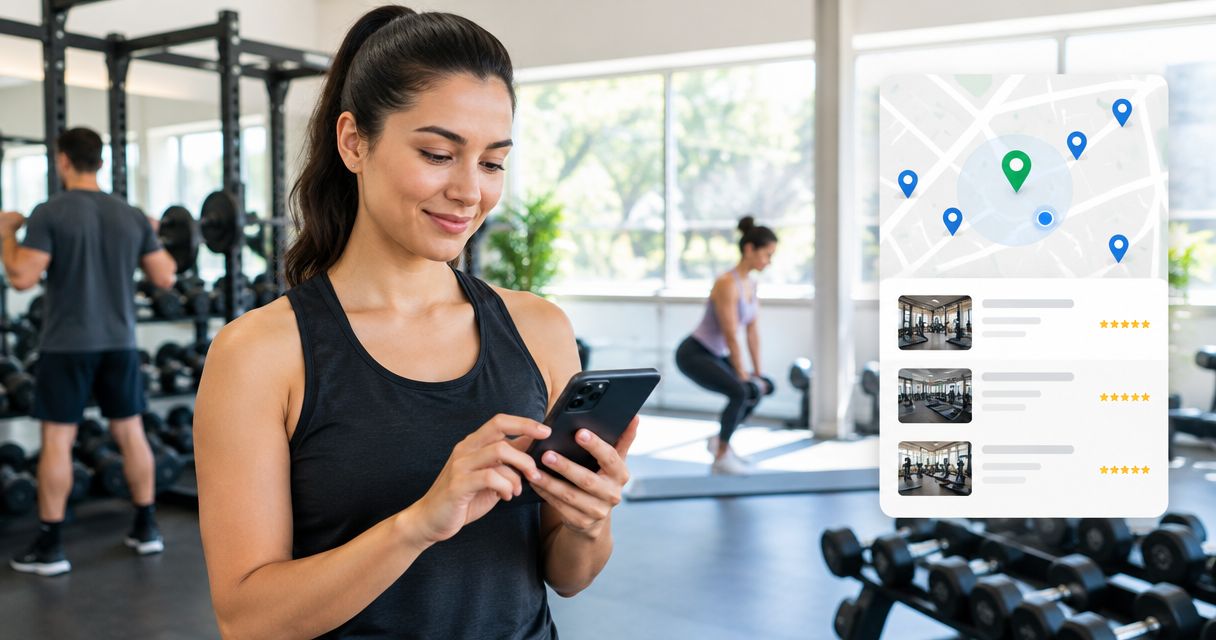
Fitness studios and gyms’ local listings are public business profiles that help nearby people find your location, understand your classes, and decide how to visit. Unlike a general retail listing, your profile needs to distinguish class times from opening hours and explain what a first-time visitor should do next.
- Local listings for fitness studios and gyms should explain location, class type, hours, and the next step for newcomers.
- HometownFirst is best for independent fitness businesses seeking community-focused directory listings with specials and events.
- Keep map profiles, directory details, and your own schedule consistent before adding more listings.
- Measure inquiries and first visits, not just profile views, when deciding which listings deserve attention.
Why local listings matter for fitness studios and gyms
A fitness listing has to answer two different questions: whether your business is nearby and whether the experience fits the person searching. Someone looking for strength training needs different information from someone looking for a beginner yoga class. A business name and address alone do not explain that difference.
Your first priority in 2026 is a usable listing, not a longer list of directories. Start with profiles you can maintain, then expand. The guide to free business listing sites offers a starting point for choosing additional places to appear.
Fitness businesses also have details that do not fit neatly into a single opening-hours field. A gym might offer member access outside staffed hours; a studio might open only around scheduled classes. Explain the distinction instead of leaving a newcomer to interpret it.
For an independent owner, keeping every profile current takes attention away from classes and customers. Choose a manageable set of listings, give each one a clear purpose, and assign responsibility for updates. An abandoned profile is another place where outdated information can confuse a visitor.
Build listings that help nearby people take action
1. Verify your details
Create a master record before editing individual profiles. Use a spreadsheet or shared document; you do not need listing-management software to establish the basics. Record your real business name, public address, phone number, website, opening hours, and the person responsible for updates.
Check the information against what a visitor sees at your entrance and on your own website. If your studio occupies a suite inside another building, the suite and entrance instructions matter. If you operate multiple locations, keep a separate record for each one rather than copying one branch’s information everywhere.
For your 2026 cleanup, search your business name alongside your town and inspect the profiles you find. Record duplicate or incorrect entries before changing anything, so you know which issues remain unresolved.
- Use the name customers recognize; do not add search phrases to it.
- Record the complete public address, including the suite where relevant.
- Test the phone number and website destination.
- Separate staffed hours, member access, and class schedules.
- Assign one owner for each location’s listing updates.
2. Explain your classes
Write the business description yourself before asking anyone else to polish it. Say what you actually offer, where you operate, and who the experience suits. Plain language helps a newcomer understand the difference between an open gym, instructor-led classes, and appointment-based personal training.
Avoid a description that promises every possible fitness service. Name only programs you currently provide. If experience level matters, explain how a beginner should choose a suitable class or contact your team.
Use the phrases your customers use, but only when they describe the business accurately. A Pilates studio should not label itself as a general gym simply to appear for another search. Likewise, accessibility claims need to reflect the real entrance, facilities, and arrangements.
- Name your actual training formats and class types.
- Identify your town or neighborhood naturally.
- Explain how a newcomer chooses an appropriate session.
- State whether visits require booking, when applicable.
- Describe access arrangements accurately rather than assuming suitability.
3. Choose your directories
Start by maintaining your existing map and business profiles manually. Check what each platform lets you publish and whether you can keep those fields accurate. Choose a directory because it serves a useful discovery role, not because it adds another link.
HometownFirst local listings are best for independent fitness businesses seeking community-focused directory profiles with specials and events. The platform lets business owners list profiles, specials, and events while community members search for local businesses by location.
Use HometownFirst as an additional place for nearby customers to discover your business, not as a replacement for your own schedule or booking destination. Its business listings use monthly subscriptions, so give the listing a defined role and assess the inquiries it brings. No directory removes the need to keep your information current.
- Maintain the profiles customers already use to find you.
- Choose directories that support location-based discovery.
- Check whether relevant business categories are available.
- Identify who will update specials and events.
- Keep a clear route from discovery to your next action.
4. Show the entrance
Use your phone to capture current, accurate photographs before arranging a professional shoot. The most useful pictures answer practical questions: where to enter, what the training space looks like, and what equipment or class setup a visitor should expect.
An attractive interior picture does not solve the problem of an entrance hidden around the side of a building. Include both the approach and the space itself. Show the business as it operates rather than presenting a setup visitors will never encounter.
Get permission before publishing identifiable customers. Keep private information out of photographs, including screens, sign-in sheets, and personal records. A clear description of the image also makes its purpose easier to understand.
- Photograph the public entrance and visible business sign.
- Show the relevant training area or studio space.
- Add arrival instructions for shared buildings or unusual entrances.
- Obtain permission for identifiable people in images.
- Replace pictures that no longer reflect the premises.
5. Keep schedules current
Maintain your authoritative schedule on the destination you control, then check how each listing refers to it. Do not treat a description written months ago as a permanent timetable. Class changes, temporary closures, and altered access arrangements need an update wherever they appear.
Set aside 15 minutes each week as a working routine, not a performance benchmark. Check upcoming events, schedule references, contact details, and any temporary information. A short, assigned task is easier to sustain than an occasional full rebuild.
For your 2026 listings, distinguish recurring classes from special events. HometownFirst supports specials and events, so use those fields for real, current information rather than leaving old announcements in place. Describe the terms of anything you publish clearly, without assuming readers already know your membership rules.
- Keep one authoritative destination for your current schedule.
- Distinguish opening hours from individual class times.
- Update temporary closures and changed access arrangements.
- Remove announcements once they are no longer relevant.
- Check event dates, locations, and participation instructions.
6. Request honest reviews
Ask customers for feedback after they have experienced your business. A straightforward request in person or in a follow-up message is enough; review software is not a prerequisite. Follow each platform’s current rules, and do not script the opinion you want someone to publish.
Respond to feedback with the same care you would use at the front desk. Thank people for useful detail and address practical concerns without arguing. A response should help future visitors understand how you handle questions, not expose someone’s personal circumstances.
Fitness reviews can touch on sensitive subjects. Do not disclose a customer’s health information, attendance history, or private conversations in a public reply. Move personal issues into an appropriate private conversation.
- Request feedback from people with genuine experience of the business.
- Avoid incentives, pressure, or requests for a specific rating.
- Follow the review platform’s rules.
- Address practical issues in calm, specific language.
- Keep health details and customer records out of public responses.
7. Track real inquiries
Start with a simple inquiry log and a question at the front desk: how did you hear about us? Record the answer without forcing every customer into a directory category. Someone might discover your studio in a listing and return later through a direct search.
Use a 30-day review window to establish a repeatable routine, not to promise a result. Compare listing updates with inquiries, booking requests, and first visits where you can connect them. Profile views alone do not tell you whether the listing helped someone become a customer.
For each 2026 review, ask 3 questions: did the listing attract a relevant inquiry, was the information accurate, and was the next step easy to follow? These questions keep attention on usefulness rather than activity for its own sake.
- Record the discovery source when customers can identify it.
- Separate inquiries, booking requests, and completed first visits.
- Note which location and service the person wanted.
- Check whether the listing’s contact route worked.
- Review the effort required to maintain each directory.
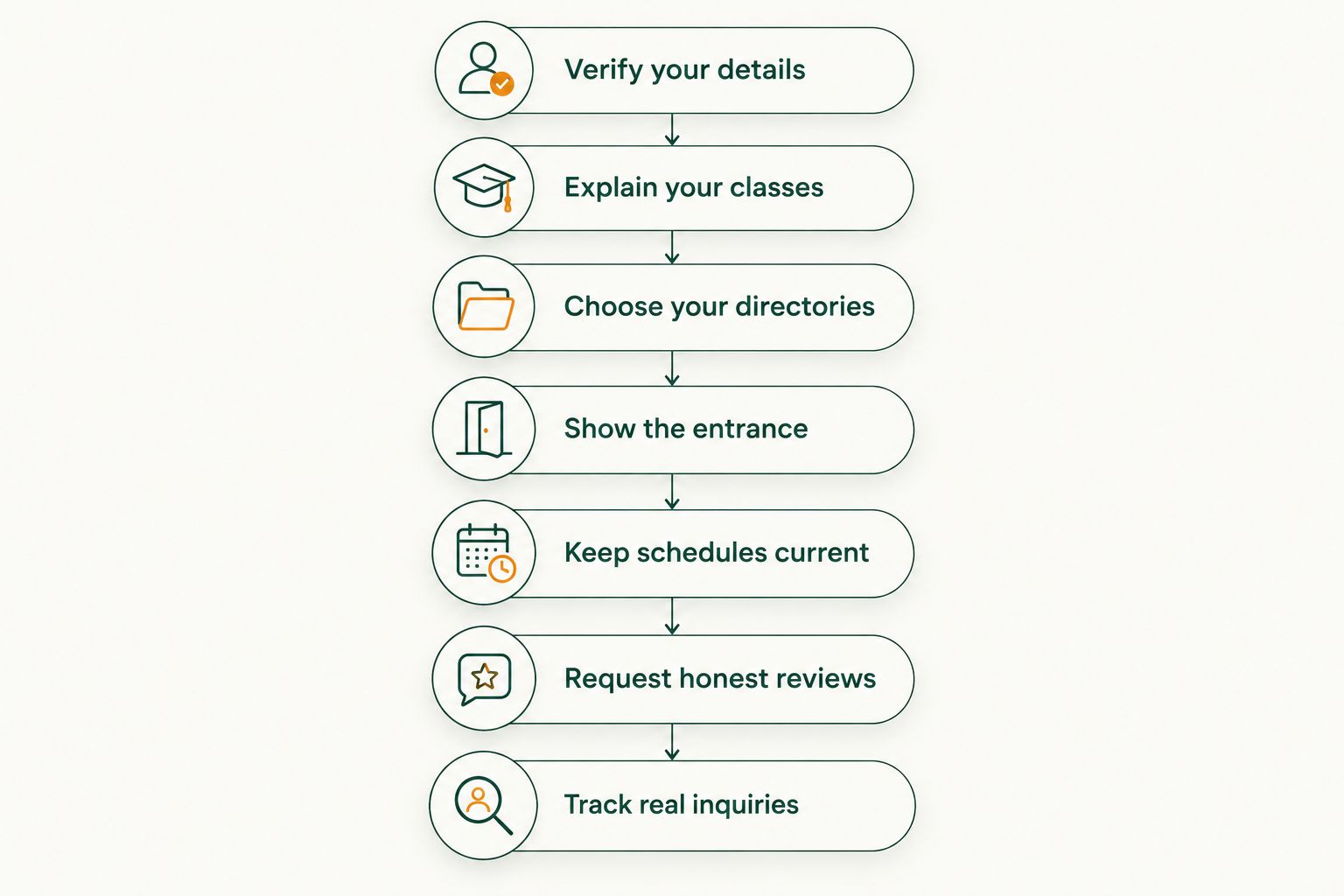
The process follows a practical order: establish accurate information, explain the experience, choose discovery channels, and then maintain and assess them. Adding more profiles before fixing the basics creates more information to correct.
Compare your listing options
Different options serve different purposes. A map profile helps someone locate you; a business directory provides another discovery route; your own website explains the experience in greater detail. Keep those roles separate so each destination answers the right questions.
Use this comparison to assign a job to each option. It is not a ranking by audience size or promised results.
| Option | Best for | Main advantage | Key limitation |
|---|---|---|---|
| Google Business Profile | Businesses that need a presence in Google Search and Maps | Presents business information within Google’s local discovery surfaces | Does not replace a complete class schedule or booking process |
| Apple Business Connect | Businesses maintaining their information on Apple Maps | Provides a way to manage business place information | Requires attention alongside your other profiles |
| HometownFirst | Independent businesses seeking community-focused discovery | Supports local business profiles, specials, and events | Business listings require an ongoing monthly subscription and current information |
| Your own website | Studios and gyms explaining classes and next steps in detail | Gives you control over the information you publish | Needs separate discovery channels to help new people find it |
Start with accurate core profiles and your own information. Add a directory when you can explain what it contributes and who will maintain it. Adding every available option is not a useful goal.
Common listing mistakes fitness businesses make
Treating class times as opening hours
A class timetable and business opening hours describe different things. Publishing one as the other leaves visitors unsure when they can speak to staff or access the premises. Label each clearly and point people toward the current schedule.
Describing every visitor as a suitable member
A beginner, an experienced lifter, and someone seeking instructor-led movement need different guidance. Describe the services you actually provide and the route to choosing an appropriate session. Do not substitute broad fitness promises for useful information.
Sending every visitor to a generic homepage
A listing should make the next step obvious, even when its destination is your homepage. Put class information, arrival guidance, and contact instructions where a newcomer can find them. Check the route yourself rather than assuming it works.
Copying one location’s information to every branch
Locations can have different entrances, schedules, facilities, and contact arrangements. Review each branch separately. Shared branding does not make the details interchangeable.
Leaving old events in place
An expired announcement creates uncertainty about what is happening now. Make removal part of publishing, not a task someone remembers later. Your 2026 listing routine should include checking temporary content as well as permanent details.
FAQ
What are local listings for fitness studios and gyms?
Local listings for fitness studios and gyms are public business profiles that help people find a nearby fitness business and understand how to visit. Useful profiles include accurate location details, relevant services, hours, and a clear next step.
What's the best listing option for an independent fitness studio?
The best option depends on the job you need the listing to do: map profiles support location discovery, directories add discovery routes, and your own website explains the experience. HometownFirst is an option for independent studios seeking community-focused listings with specials and events.
Should I list class times as my gym's opening hours?
No, class times and opening hours should be clearly distinguished. Explain staffed hours, member access, and scheduled sessions separately wherever those differences apply.
Do I need listing software to get started?
No, you can start with a spreadsheet, accurate business details, and manual profile updates. Assign responsibility for each listing before adding tools or more directories.
Can I use one listing for several gym locations?
Maintain location-specific information wherever a platform supports separate business locations. Different addresses, entrances, schedules, and contact arrangements need their own accurate details.
How do I know whether a directory listing is working?
Track relevant inquiries, booking requests, and first visits that customers connect to the directory. Use profile views as supporting information rather than treating them as proof of new business.
What should a fitness studio's listing description say?
A fitness studio's description should state its actual class types, location, and the next step for a newcomer. Explain booking requirements and experience-level guidance when those details apply.
One last thing
Before you publish, read the listing as someone who has never visited. Can that person identify the right entrance, understand what kind of session you offer, and know what to do next?
Fix the first unanswered question before adding another directory. For a fitness business, useful discovery means helping a real neighbor move from finding your name to understanding how to visit.